SPECIFICATIONS
AIYIMA Model: AIYIMA D20
Bluetooth: Yes
Brand Name: Aiyima
Certification: CE
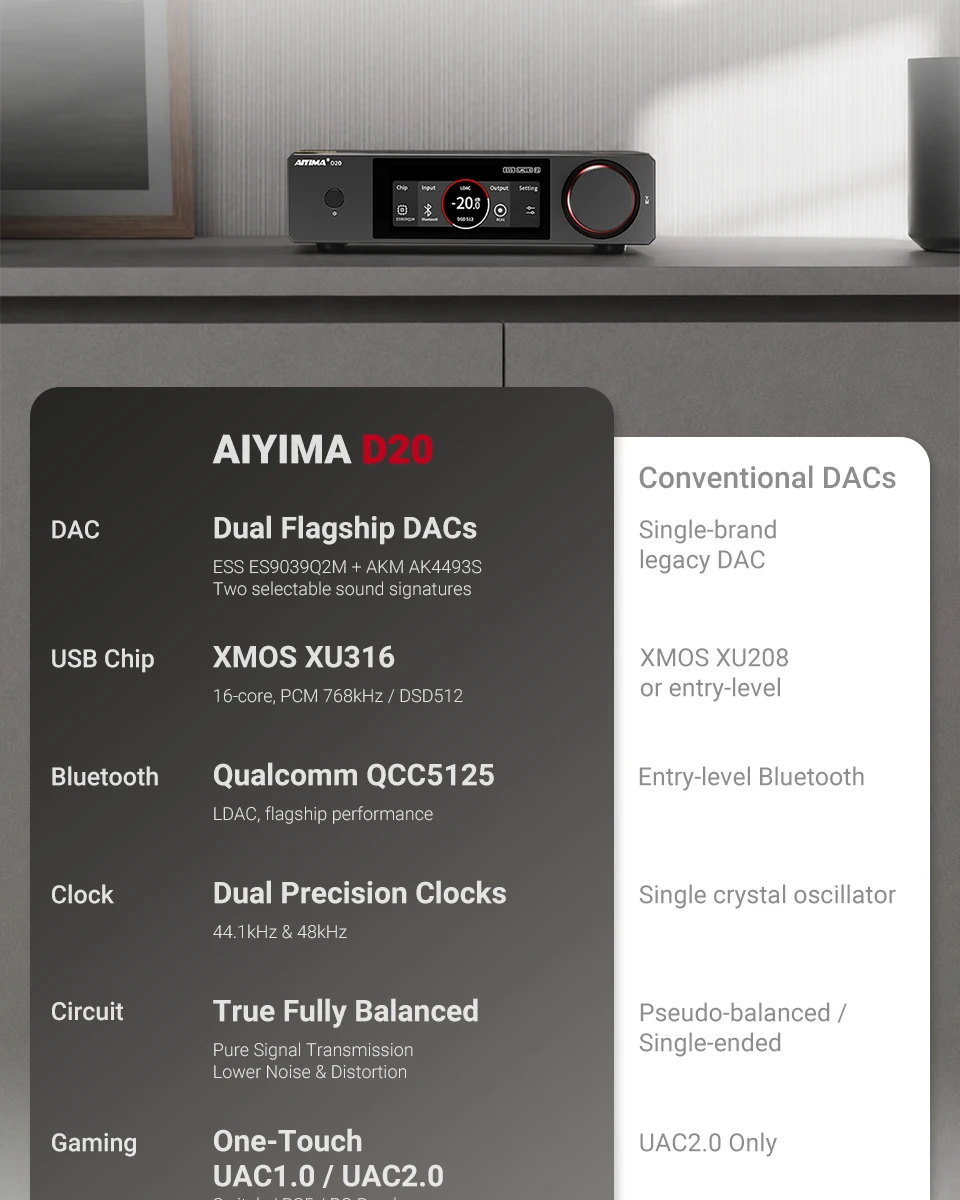
Customized high-precision active bimorph oscillator: For independent configuration of 44.1kHz/48kHz multiples
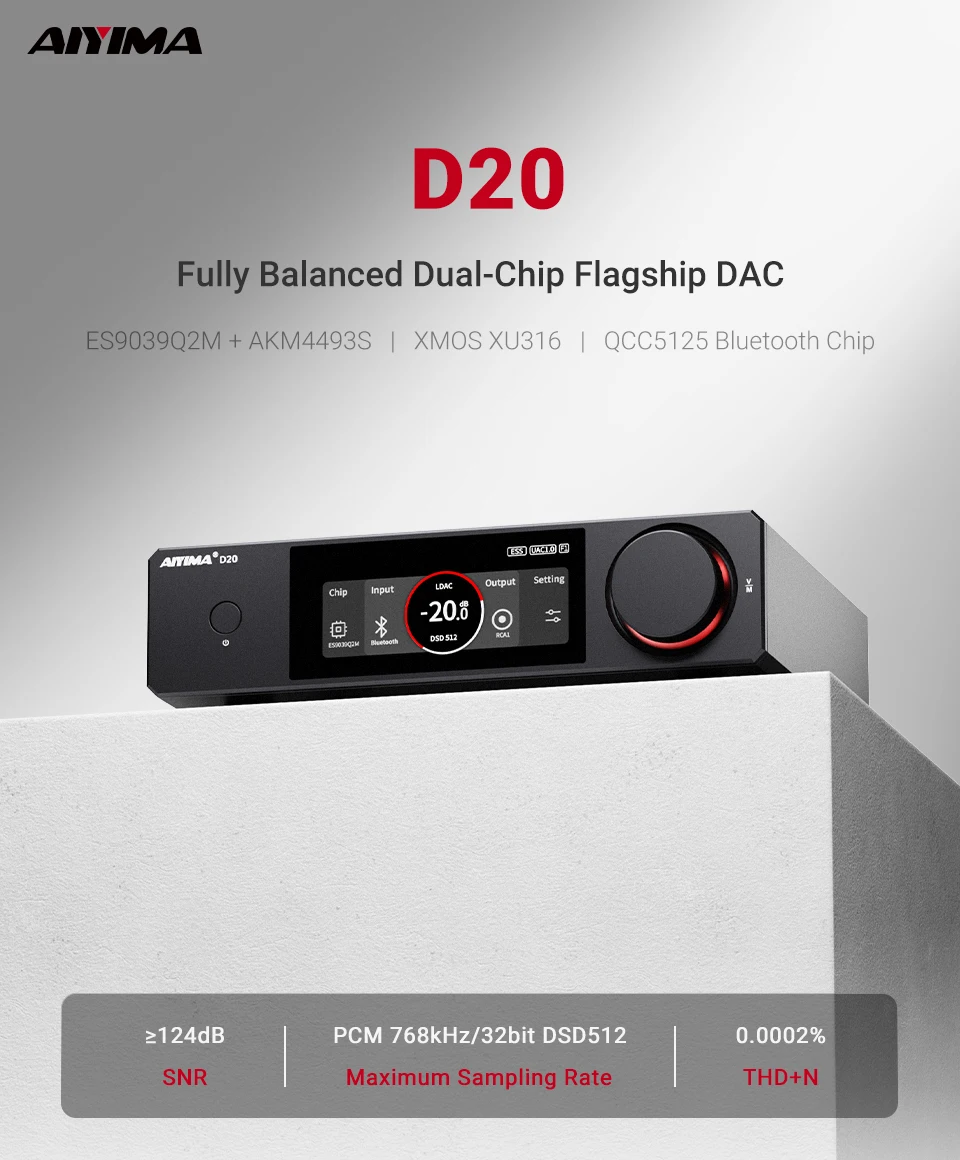
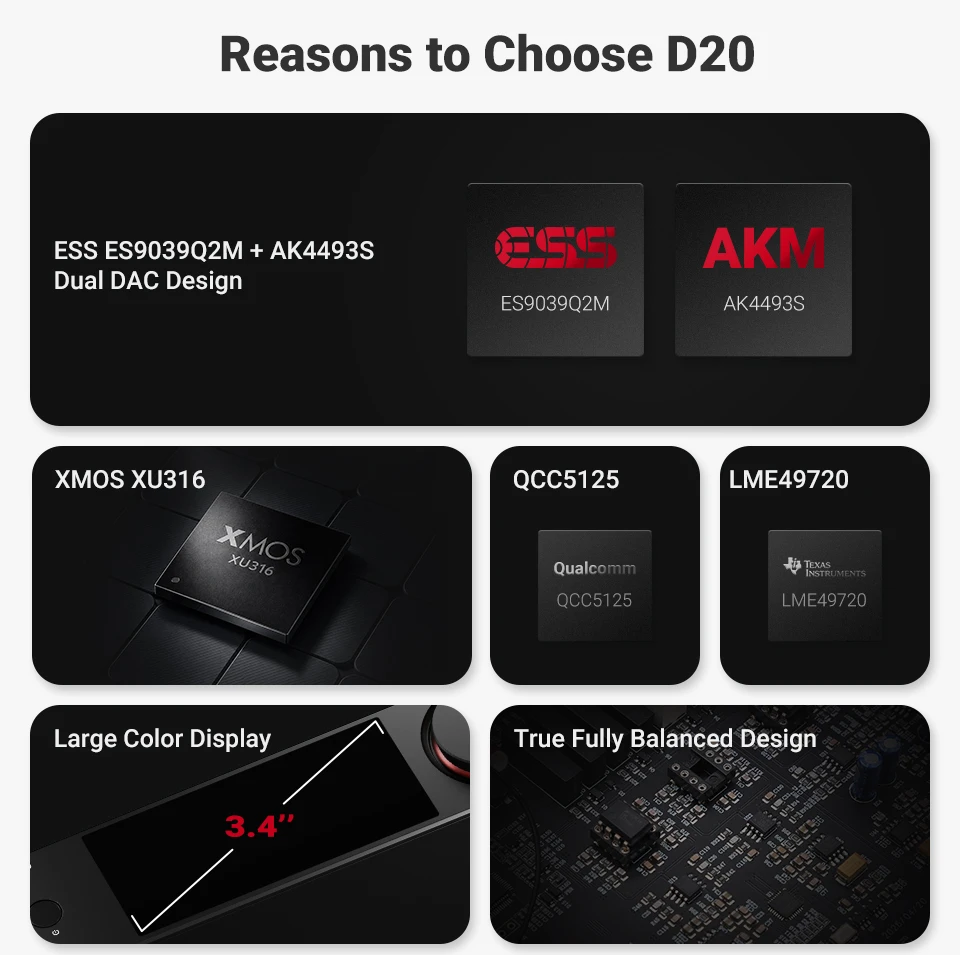
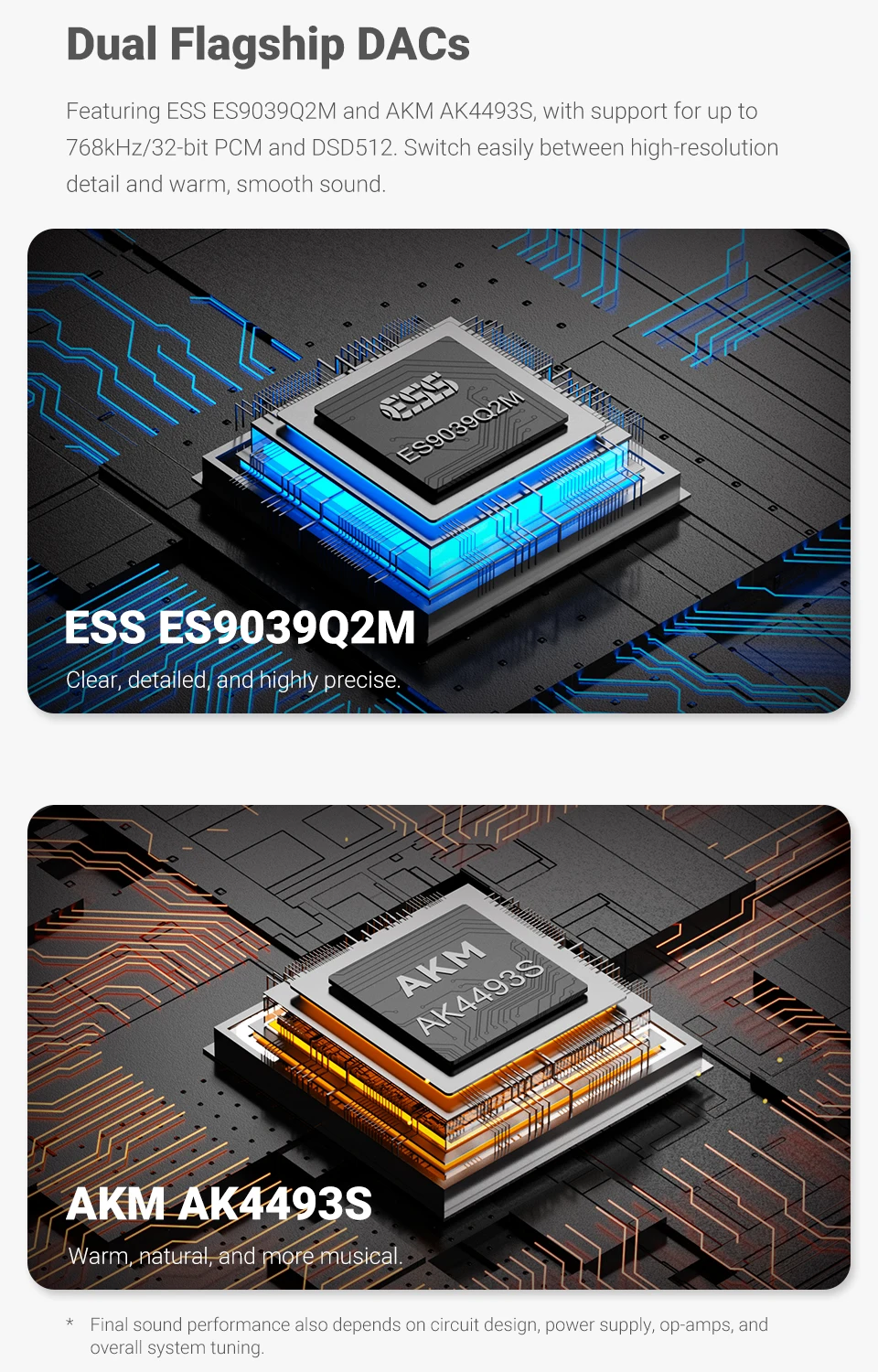
D/A Converter: ESS9039Q2M+AK4493S
DSD Sampling Frequencies: 22.5792 MHz (DSD512)
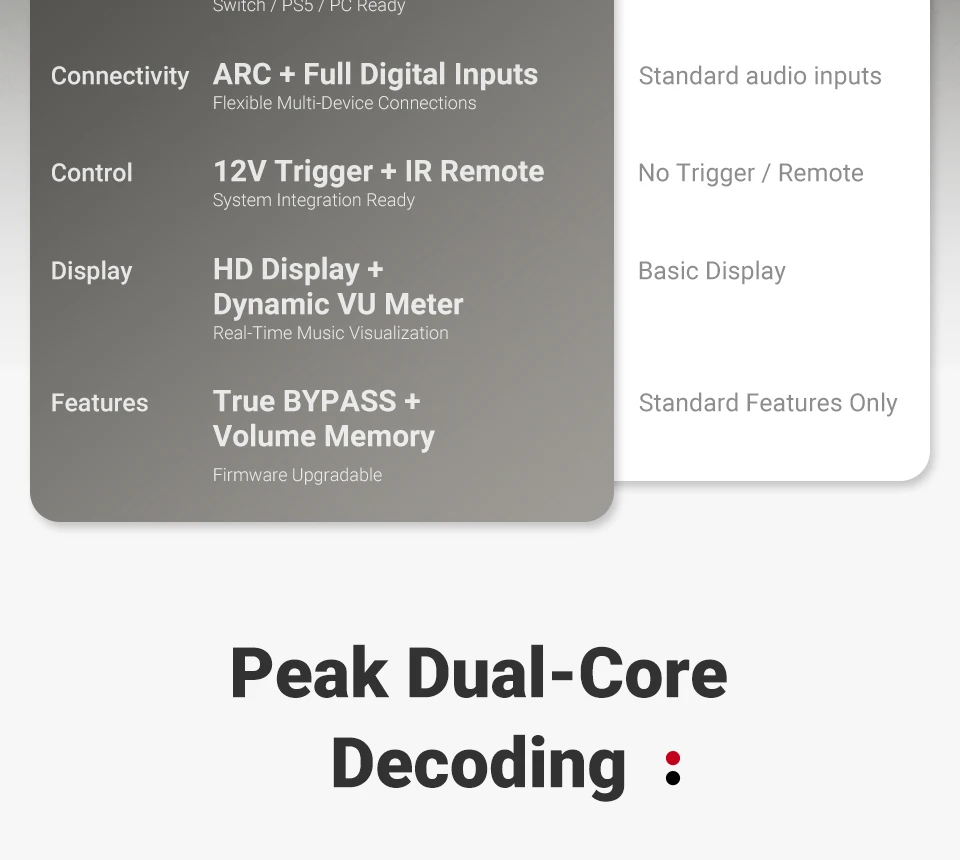
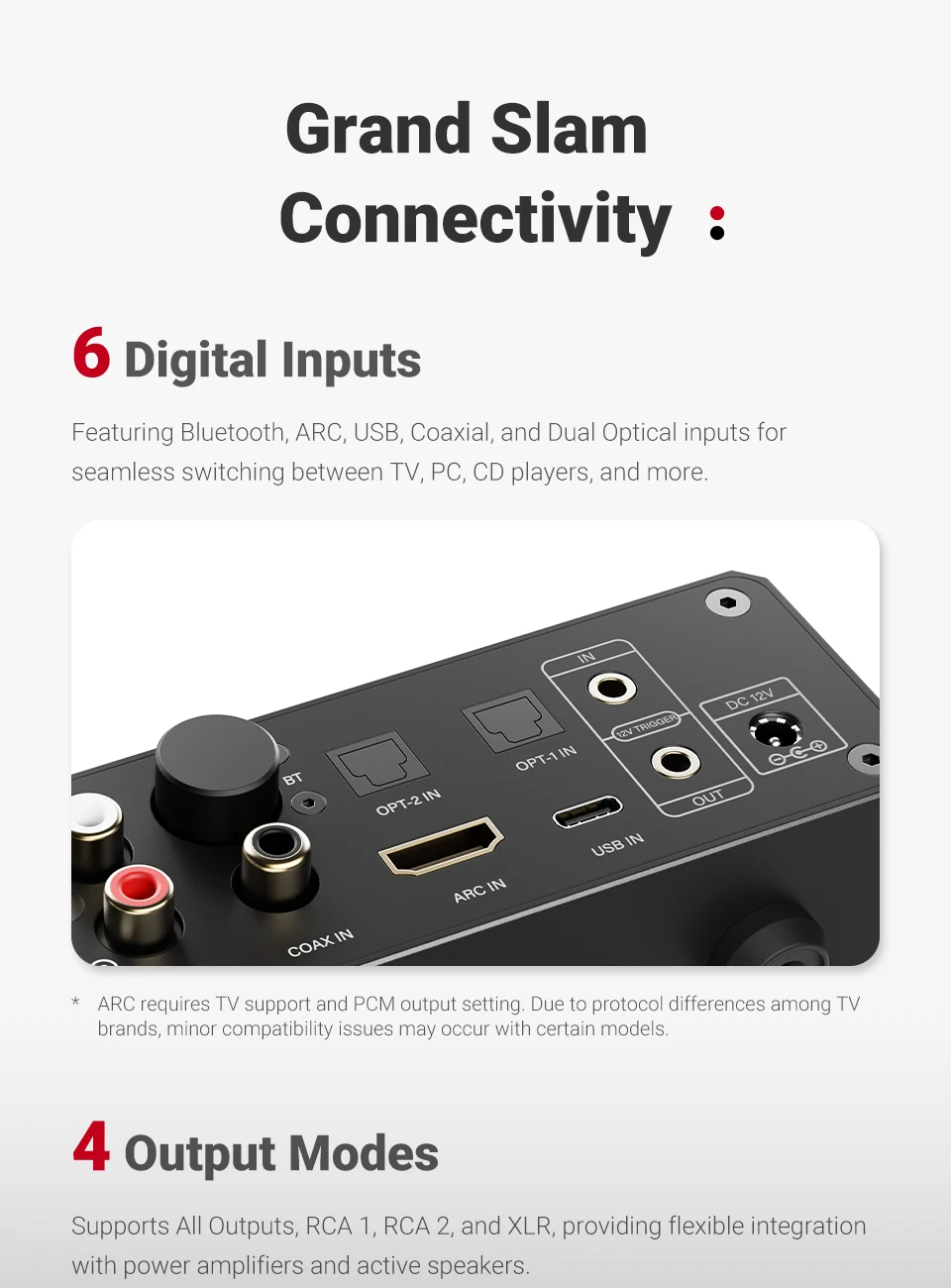
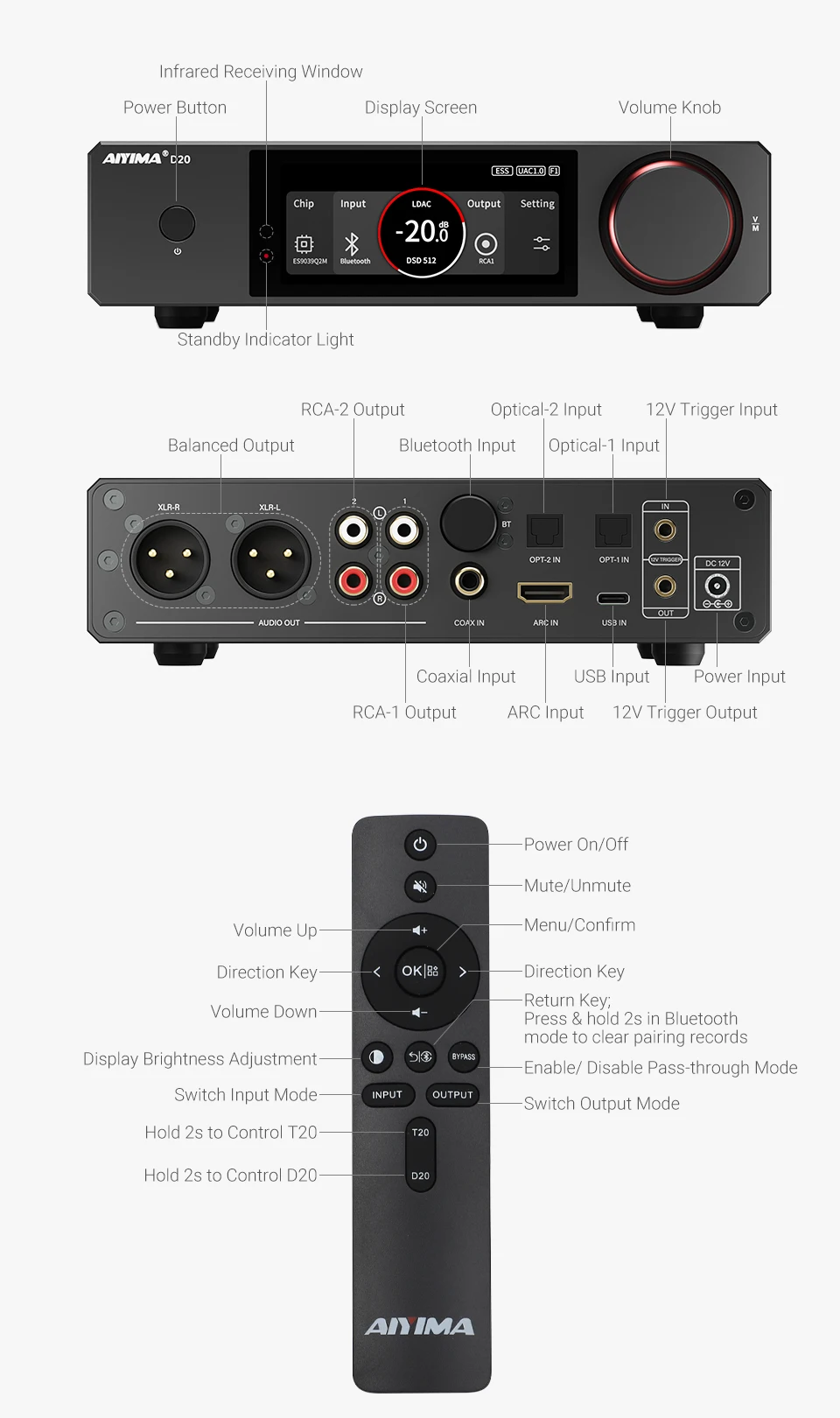
Digital full interface + support for ARC + multi-channel analog output: Bluetooth / ARC / Fiber optic / USB / Coaxial
Electrified: No
High-concerned chemical: none
Inputs: Optical (SPDIF)
Material: Metal
Model Number: AIYIMA D20
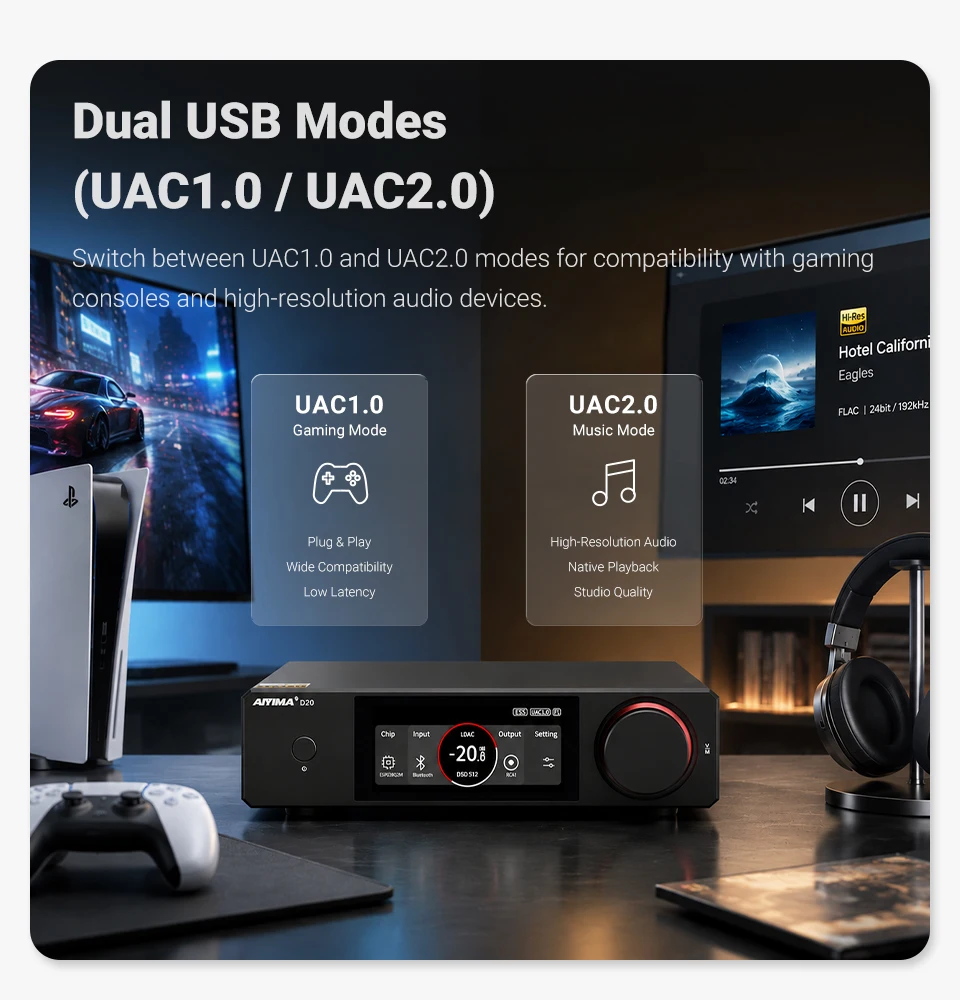
One-click switch between UAC1.0 and UAC2.0 modes: Perfectly compatible with Switch, PS5 and PC
Origin: Mainland China
Outputs: Balanced Out,RCA,XLR
PCM Sampling Frequencies: 768 kHz
PCM Word Length: 32-bit
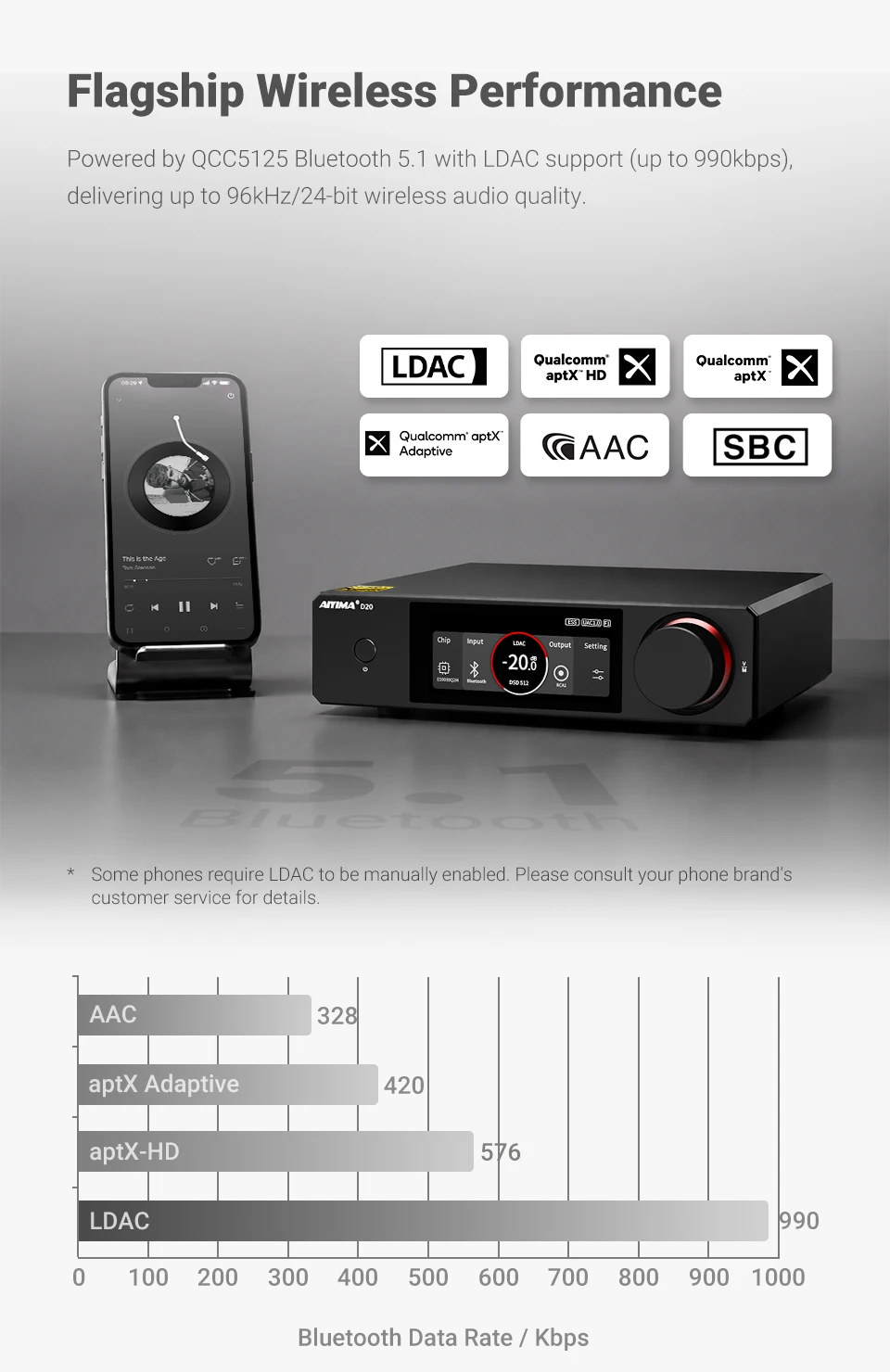
Qualcomm QCC5125: The flagship-level 5.1 chip supports LDAC and its connection performance is comparable to that of wired connections.
Switchable between two flagship styles / two different styles: ESS ES9039Q2M + AKM AK4493S
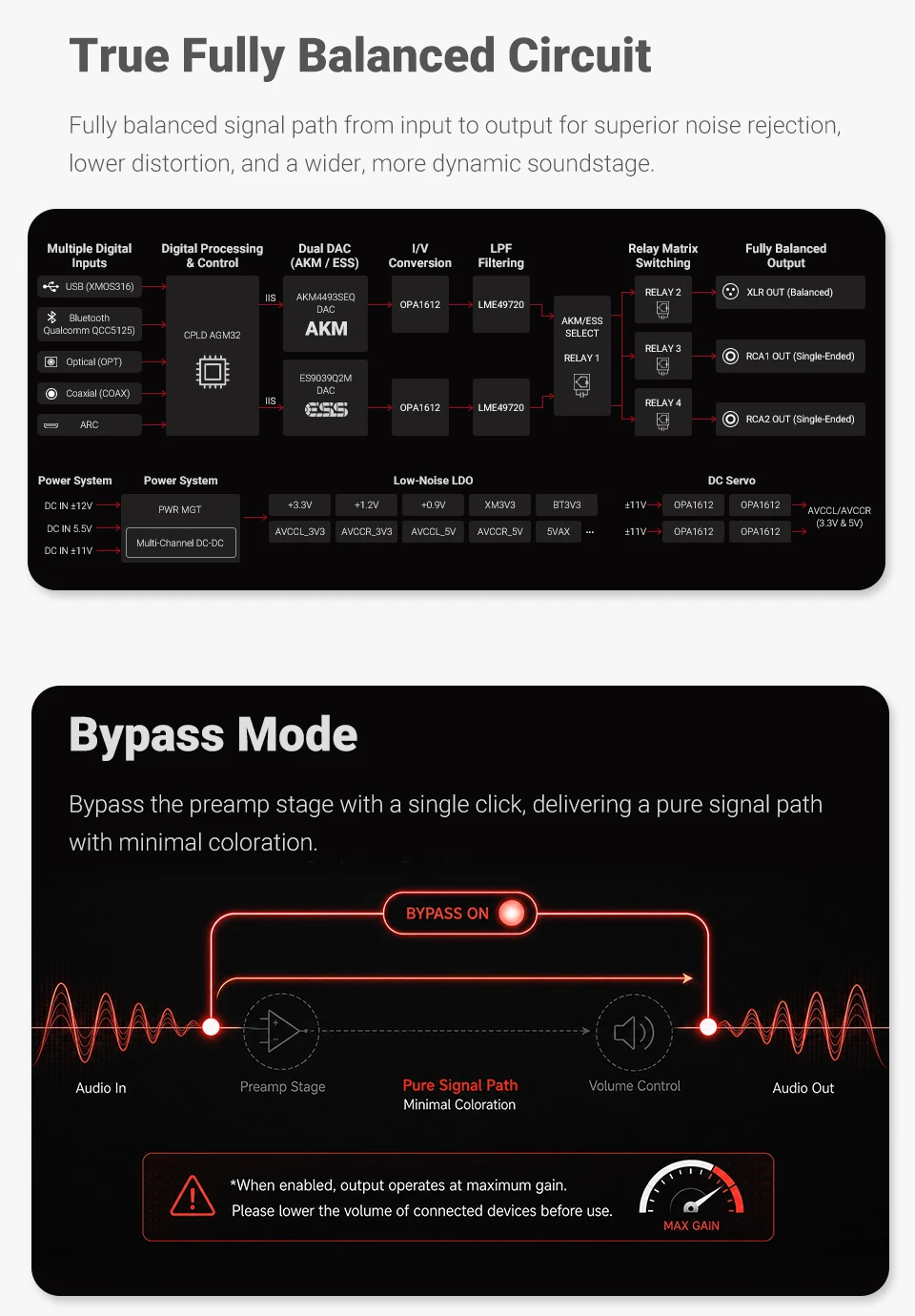
True balanced circuit: From input to fully balanced output, the noise reduction is excellent.
Type: Portable
USB Compatibility: Windows 10,osx,Android,iOS
WIFI: No
XMOS XU316: The new generation of 16-core high-performance chip, with the sampling rate capable of supporting up to PCM 768kHz DSD 512

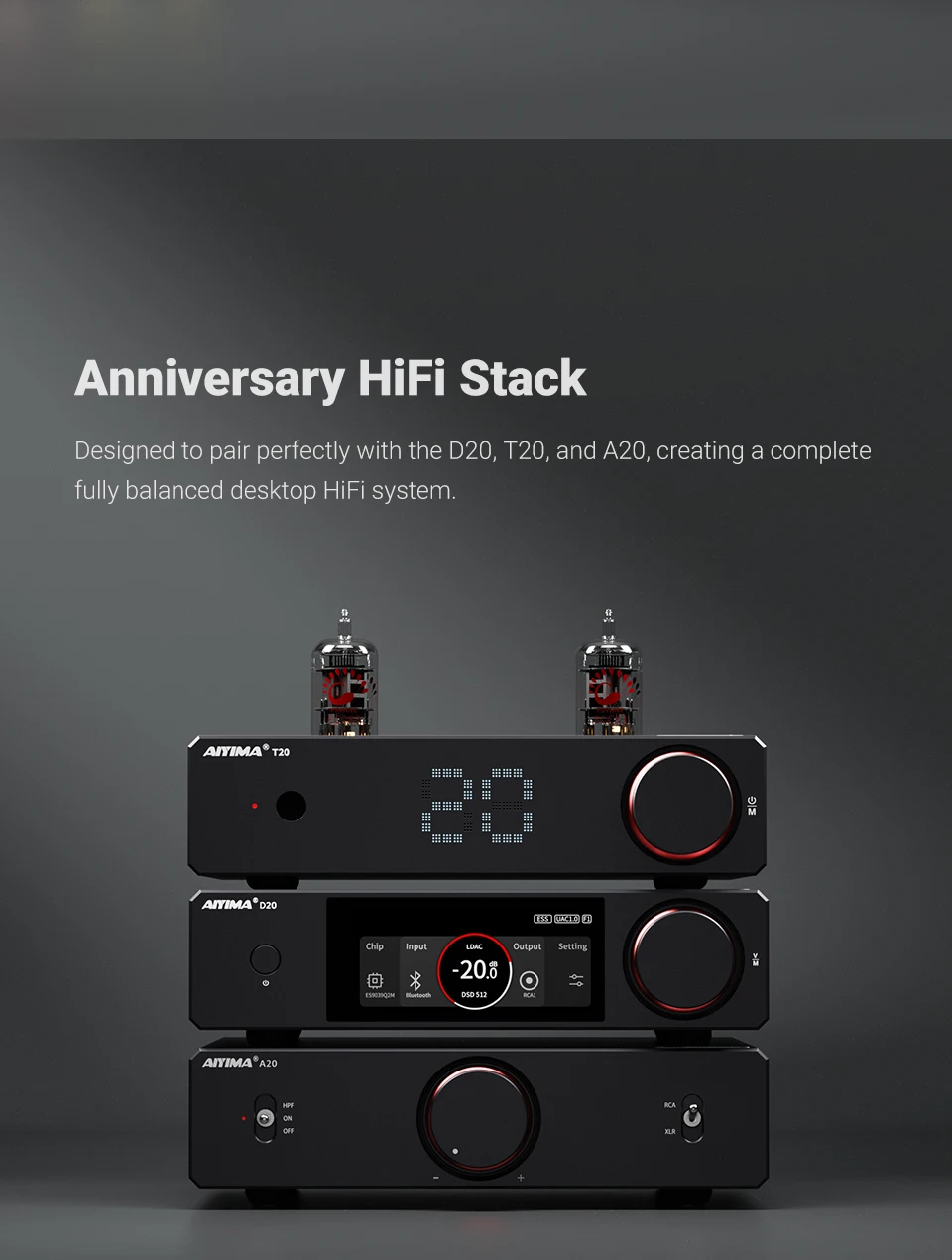
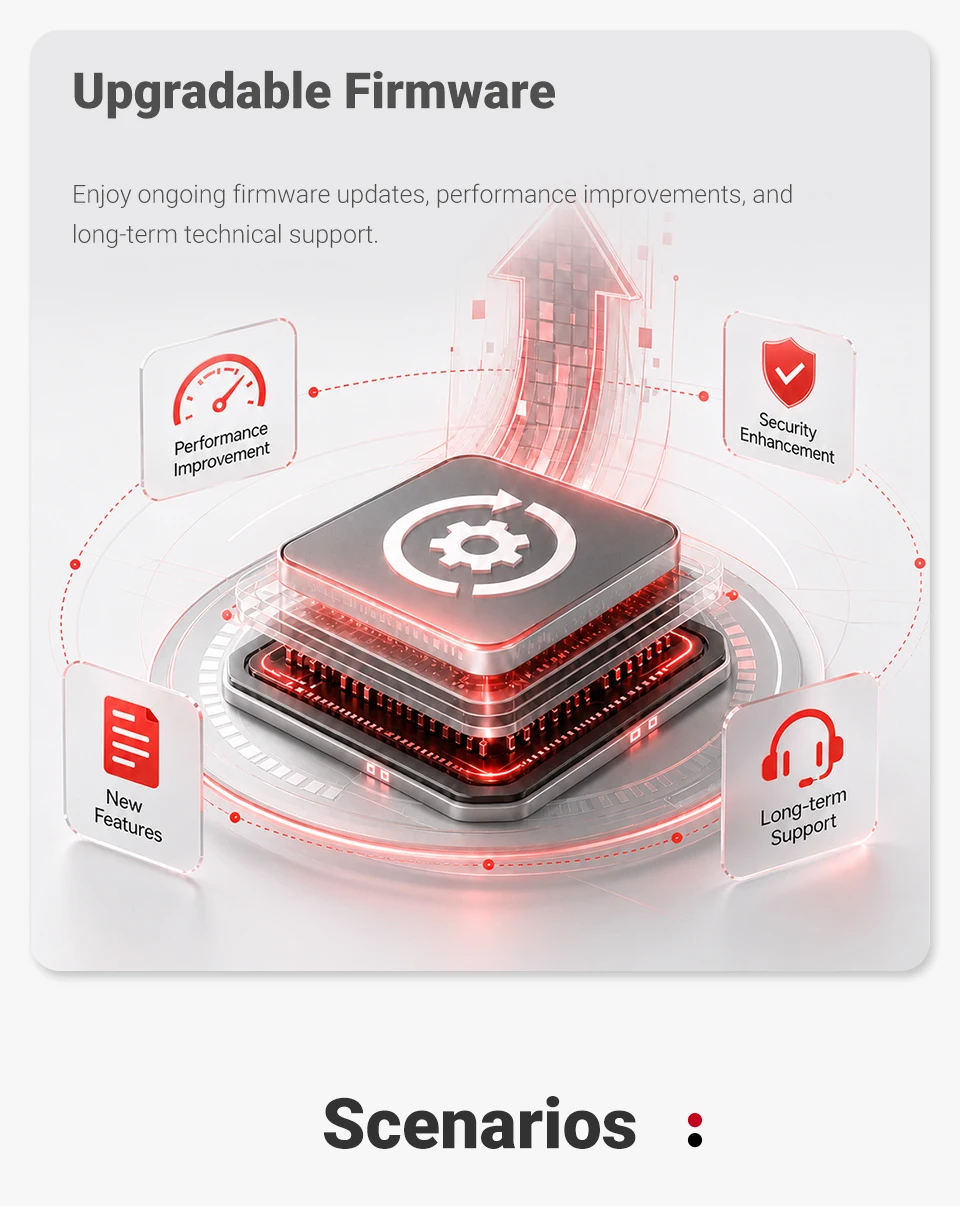
The concluding work of the 20 series, 10+10, the 10-year milestone set (T20 + A20 + D20), is not only a summary of the first ten years but also the beginning of the next ten years.
Features:
1. Flagship Dual-Chip DAC Core
Powered by ES9039Q2M + AK4493S, supports up to 768kHz/32bit and DSD512. One-click switch between high-resolution clarity and warm, vocal-friendly tone.
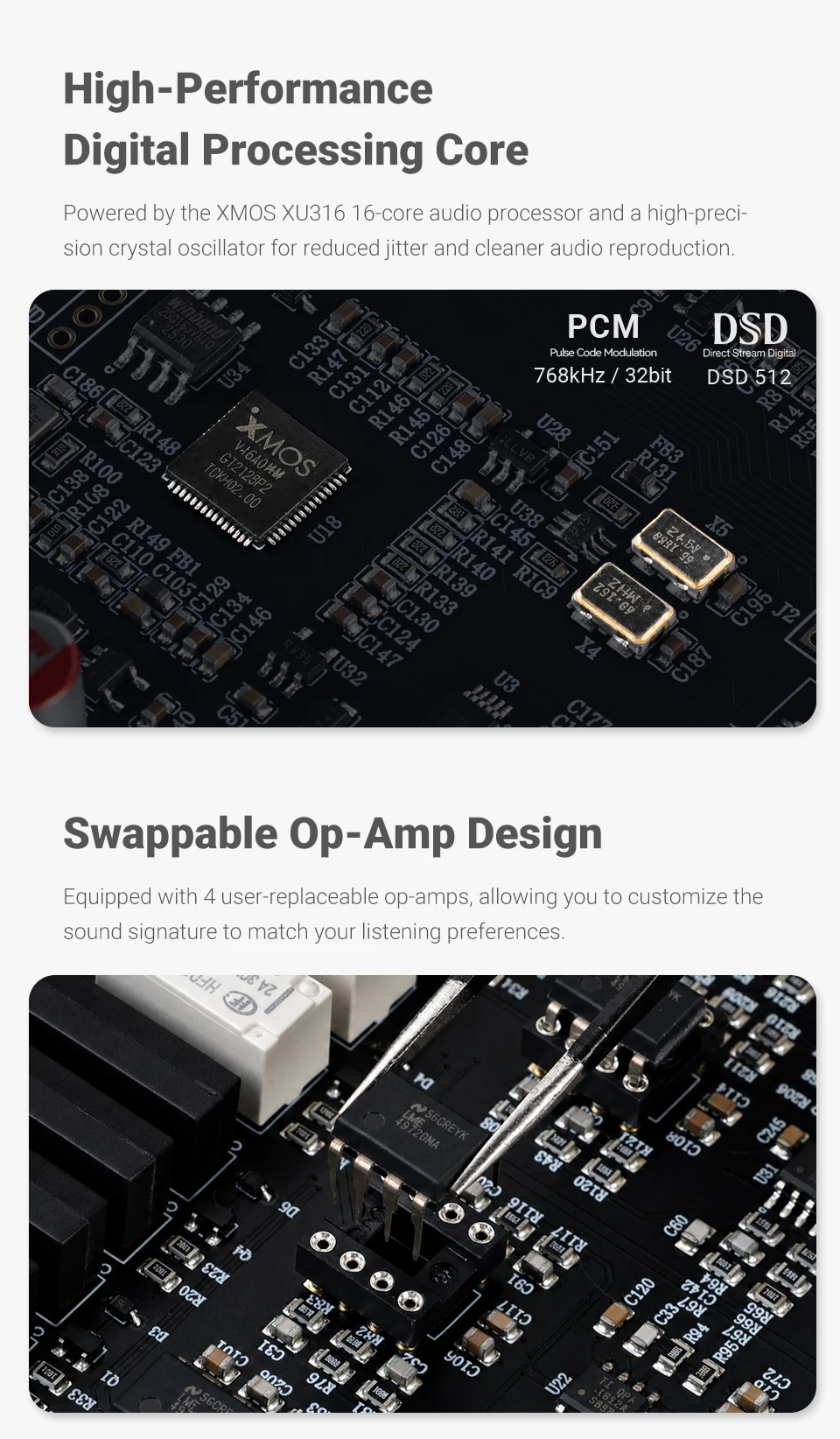
2. XMOS XU316 & Ultra-Low Jitter
XMOS XU316 16-core processor with high-quality crystal oscillators drastically reduces jitter for precise, distortion-free audio.
3. Swap Op-Amps, Change Your Sound
4 user-replaceable op-amps let you easily tailor the sound to your preference — bright and detailed, or warm and smooth.
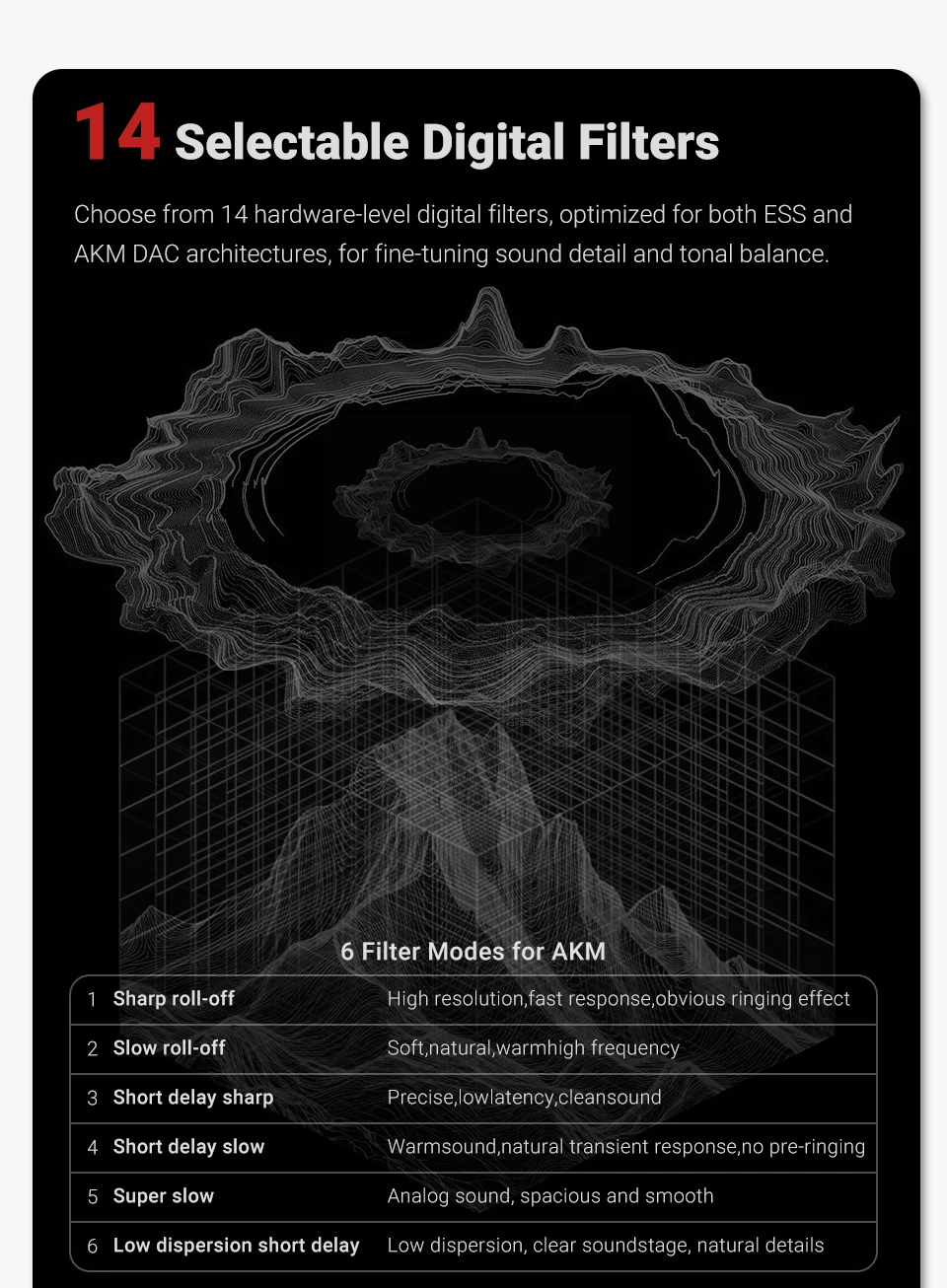
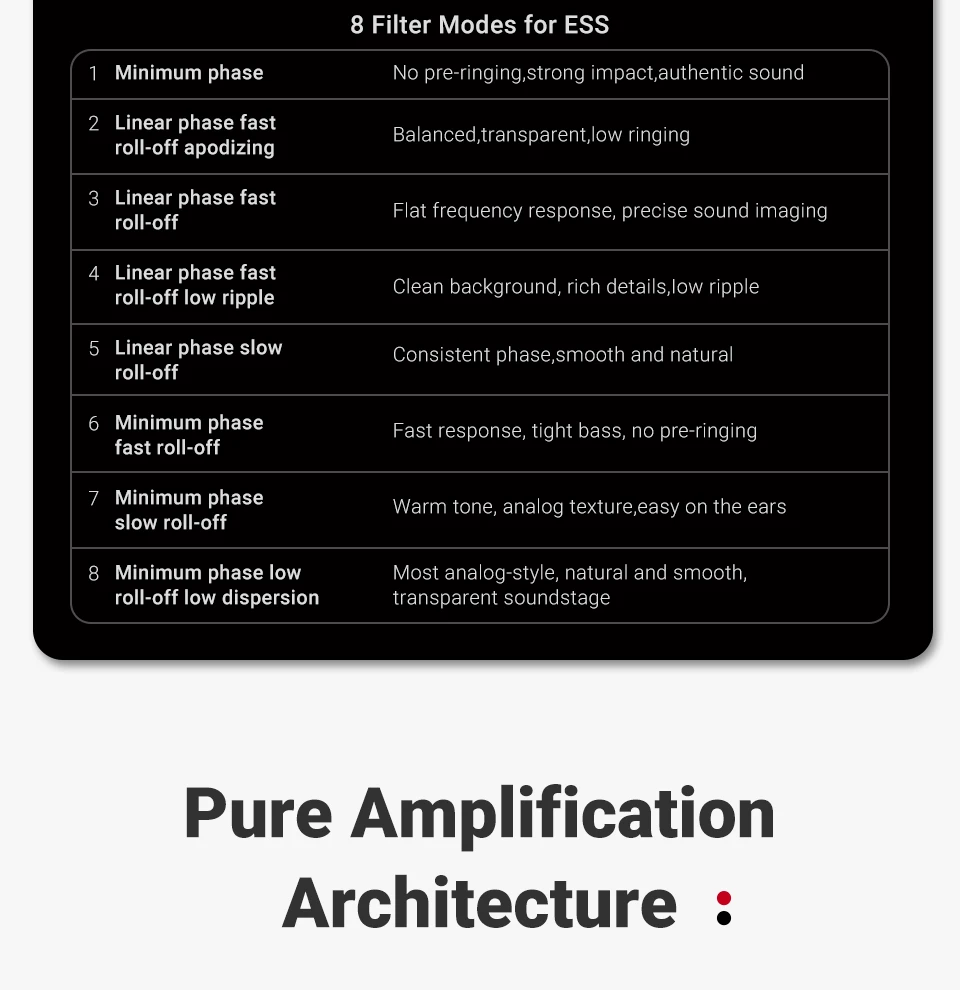
4. 14 Hardware Filters for Fine Tuning
14 built-in filters adapted to both ESS and AKM algorithms let you fine-tune between razor-sharp clarity and analog warmth.
5. QCC5125 Bluetooth 5.1 with LDAC
Qualcomm QCC5125 with LDAC (990kbps, 96kHz/24bit) delivers near-wired wireless sound. (May need manual activation on some phones.)
6. All Outputs, 6 Inputs, Total Connectivity
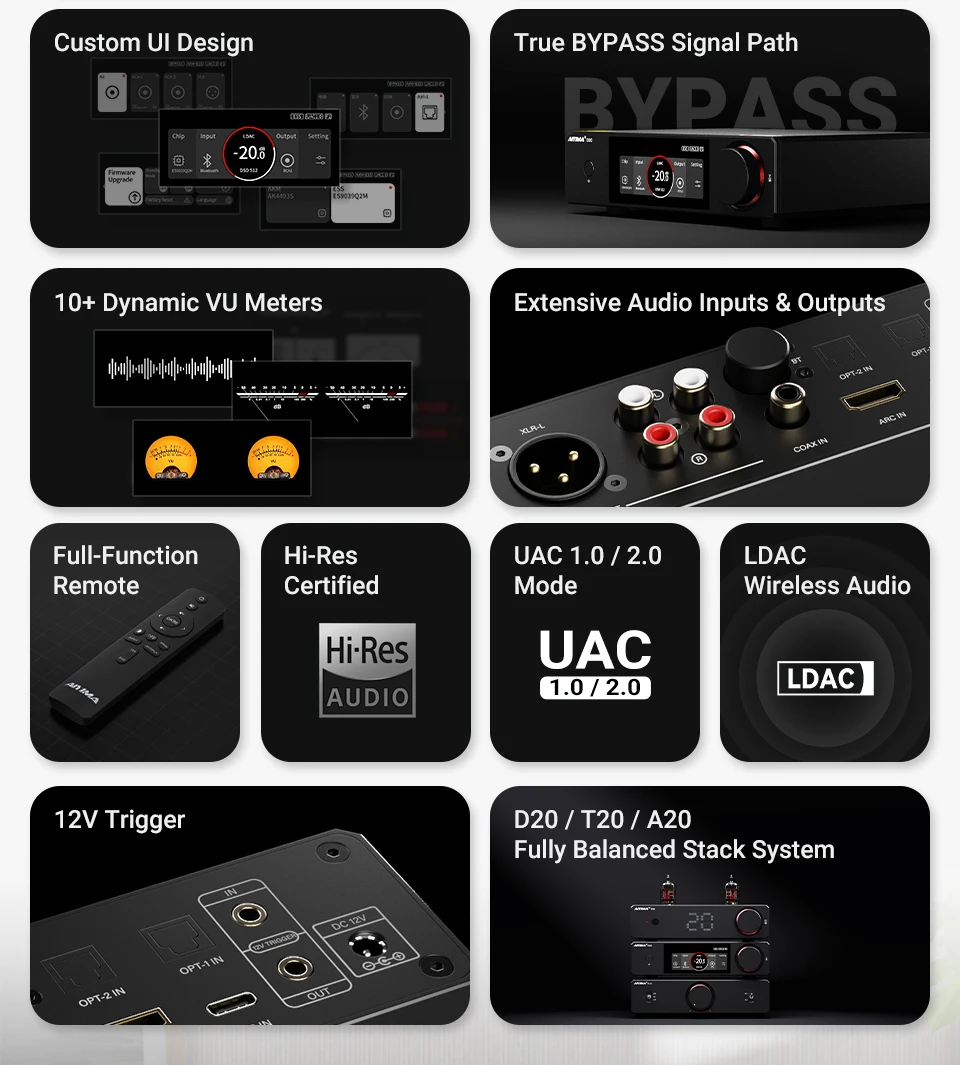
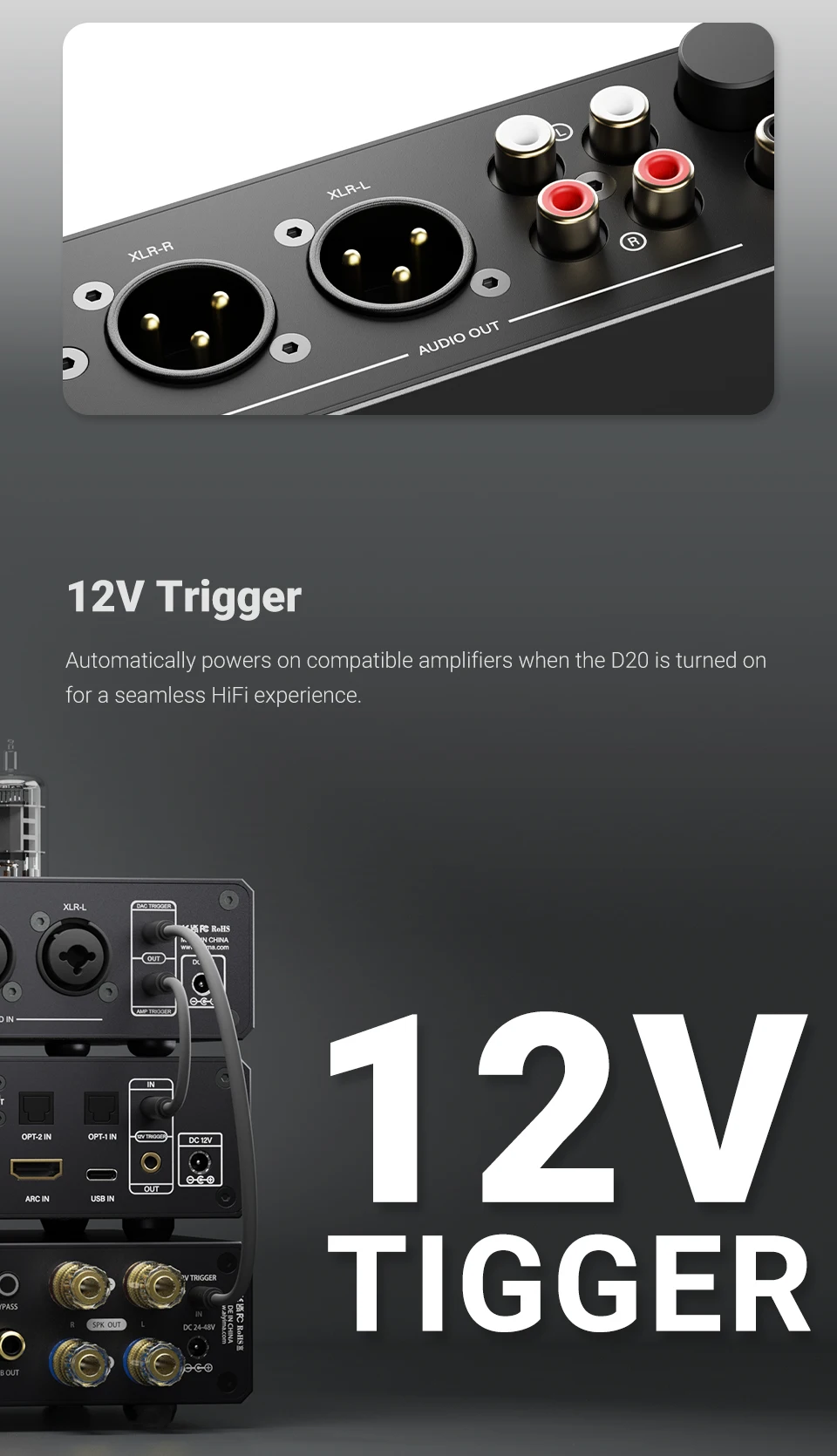
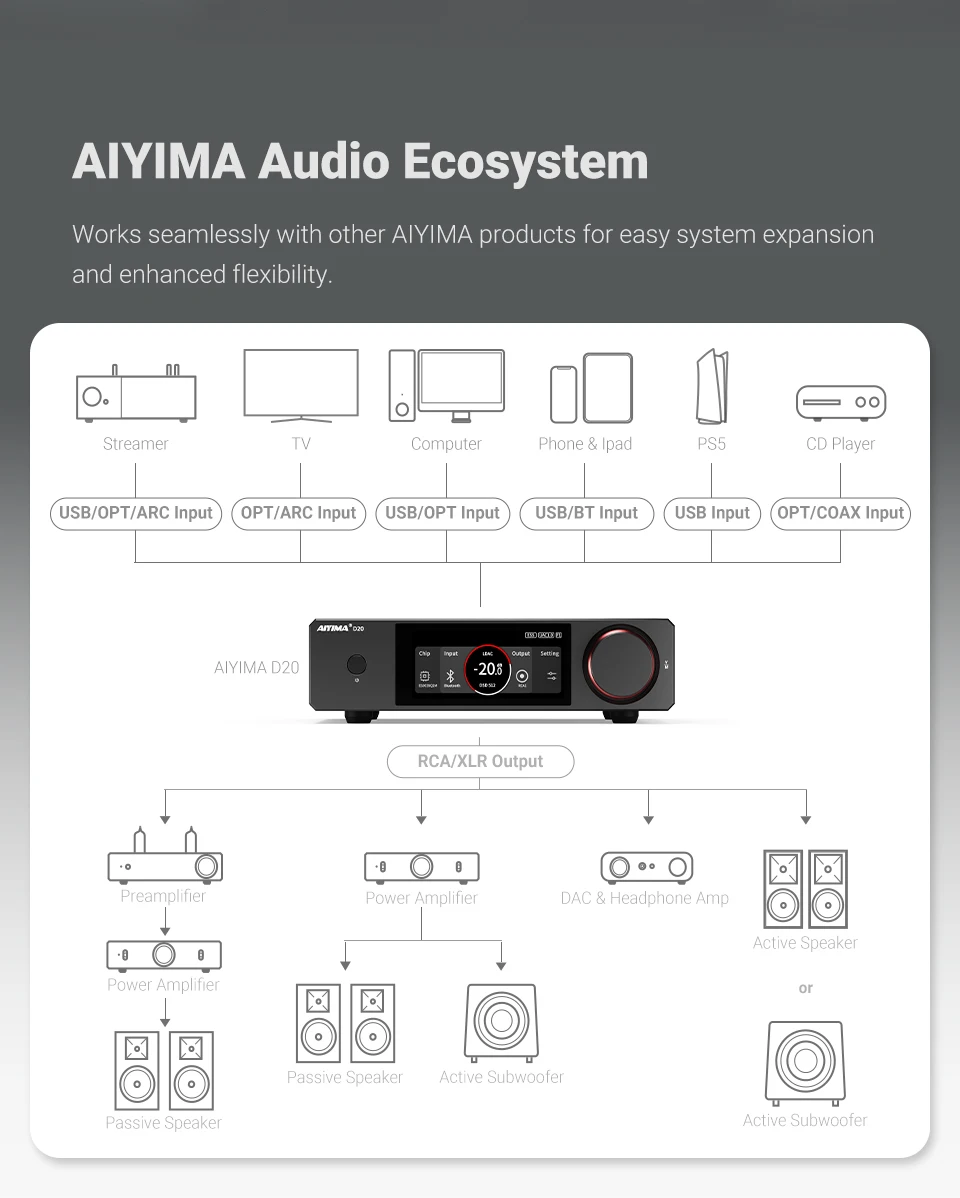
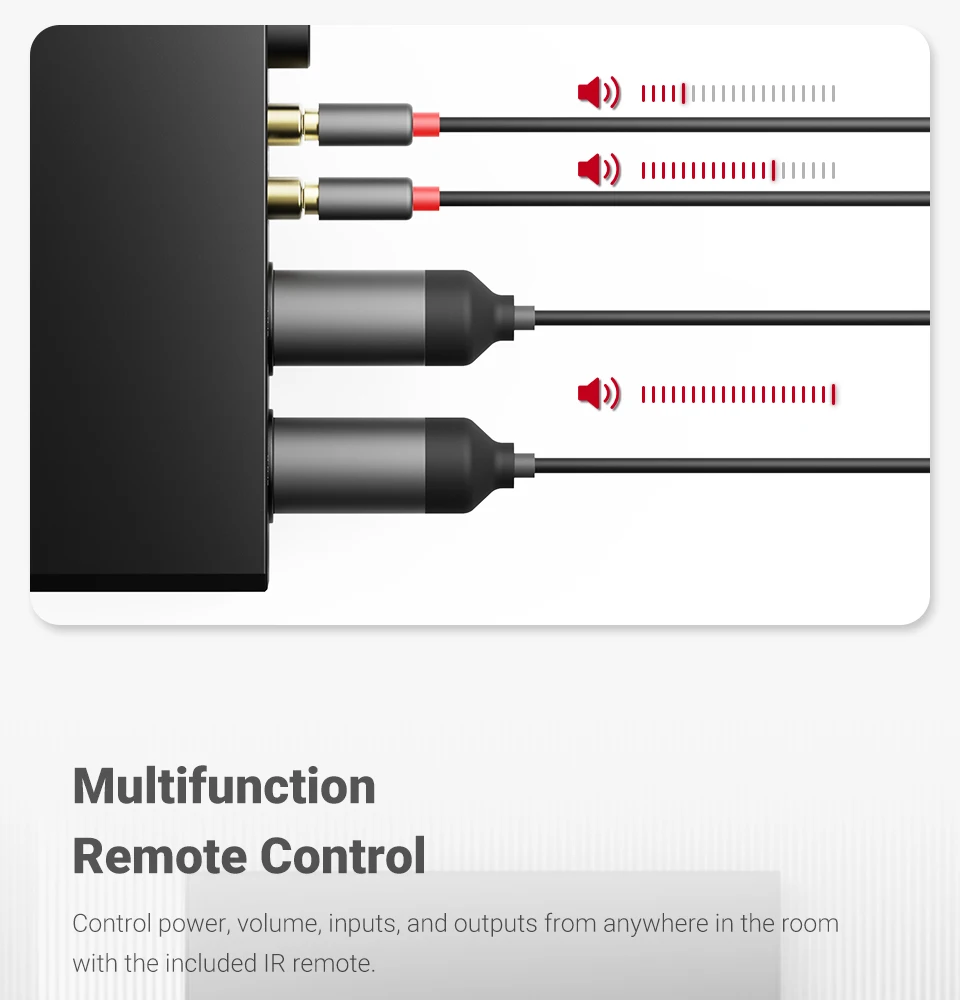
Full interfaces: Bluetooth, ARC, USB, Coaxial, Dual Optical — seamless switching between TV, PC, or CD player. Outputs: RCA1, RCA2, XLR, and All-Output mode.
7. Intelligent Cross-border
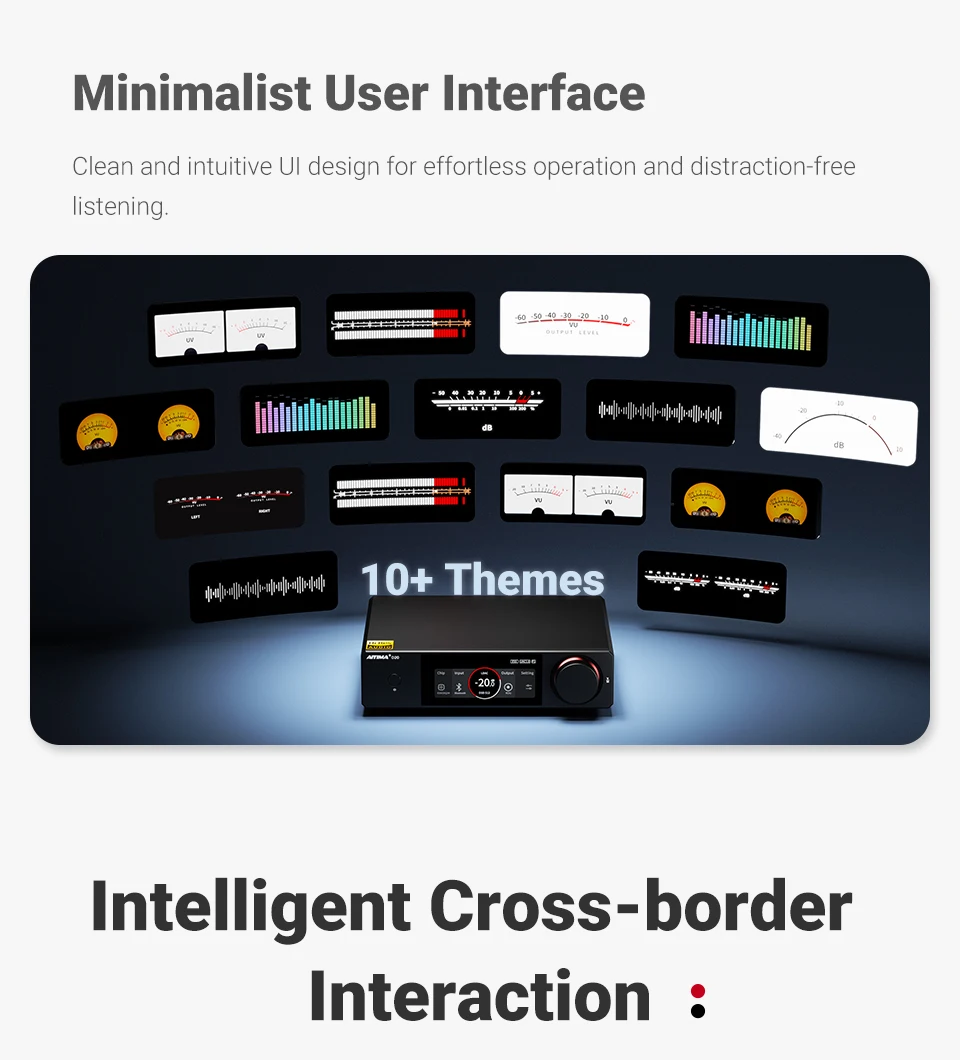
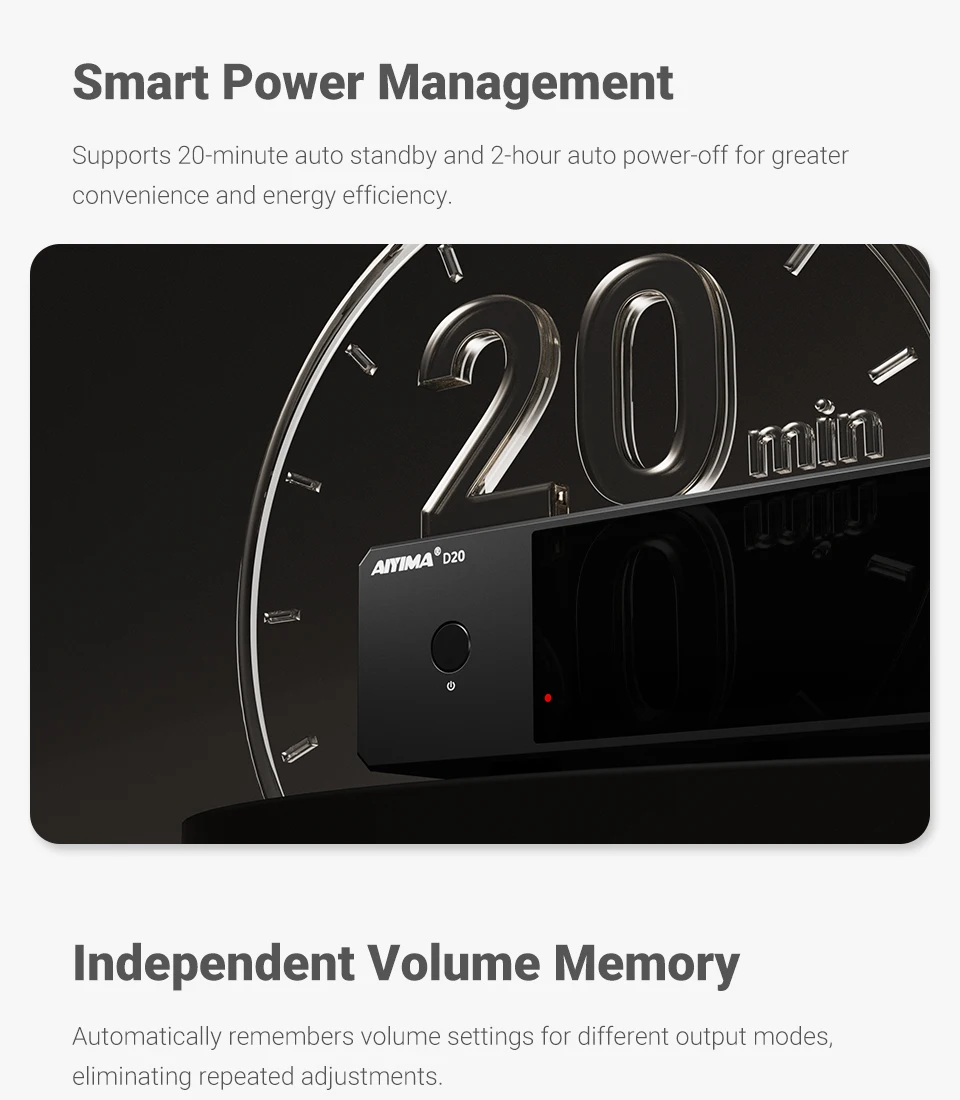
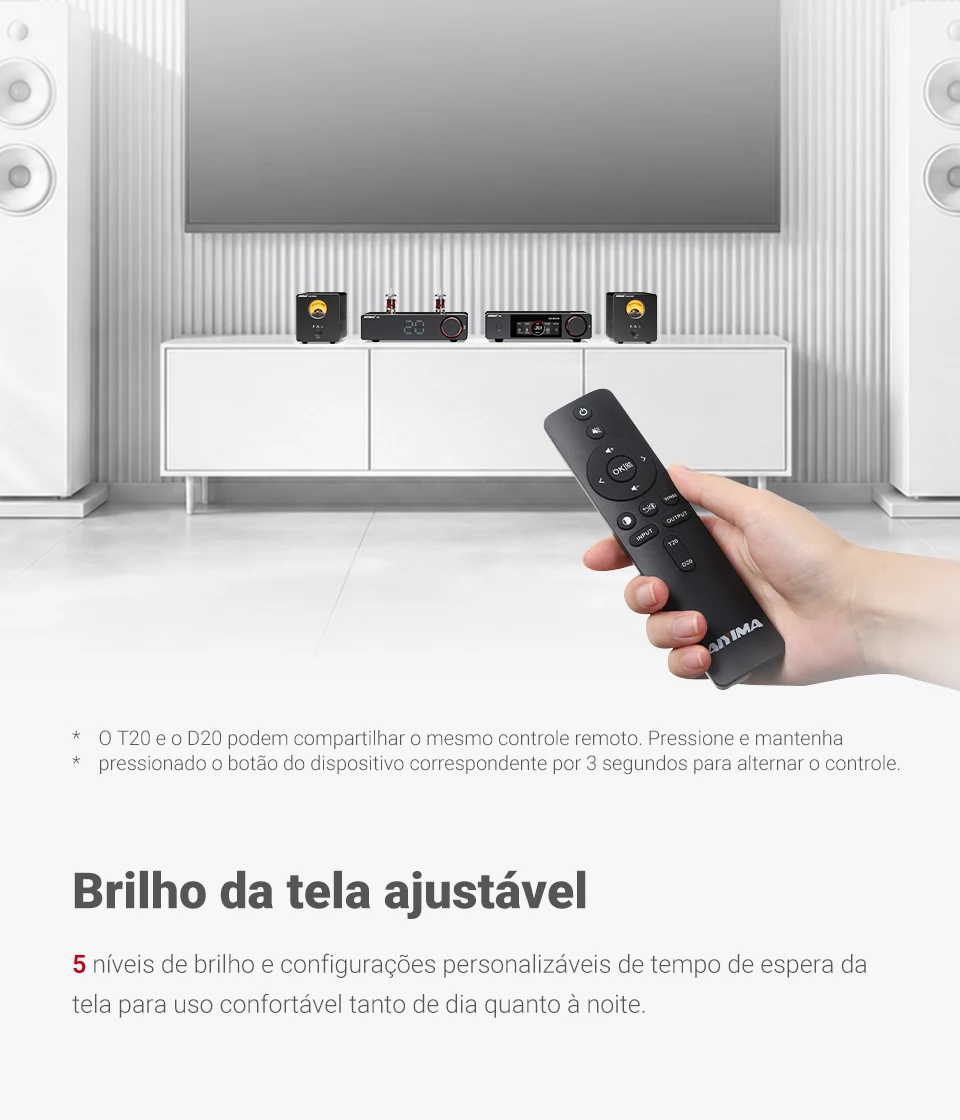
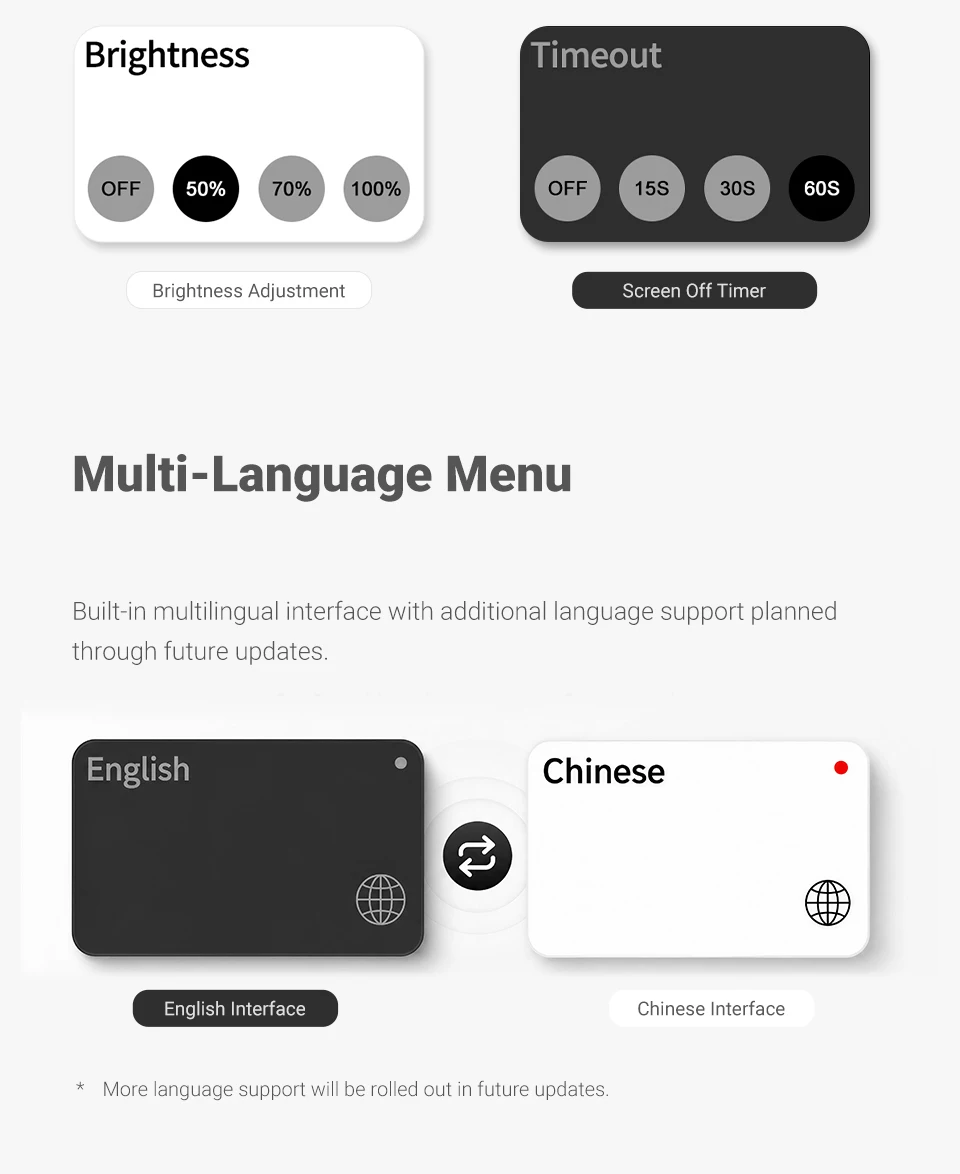
20-min auto standby / 2-hour auto power-off, 5-level brightness with screen-off timer, and full-function IR remote for volume and input control — all from your sofa.
Product Specification:
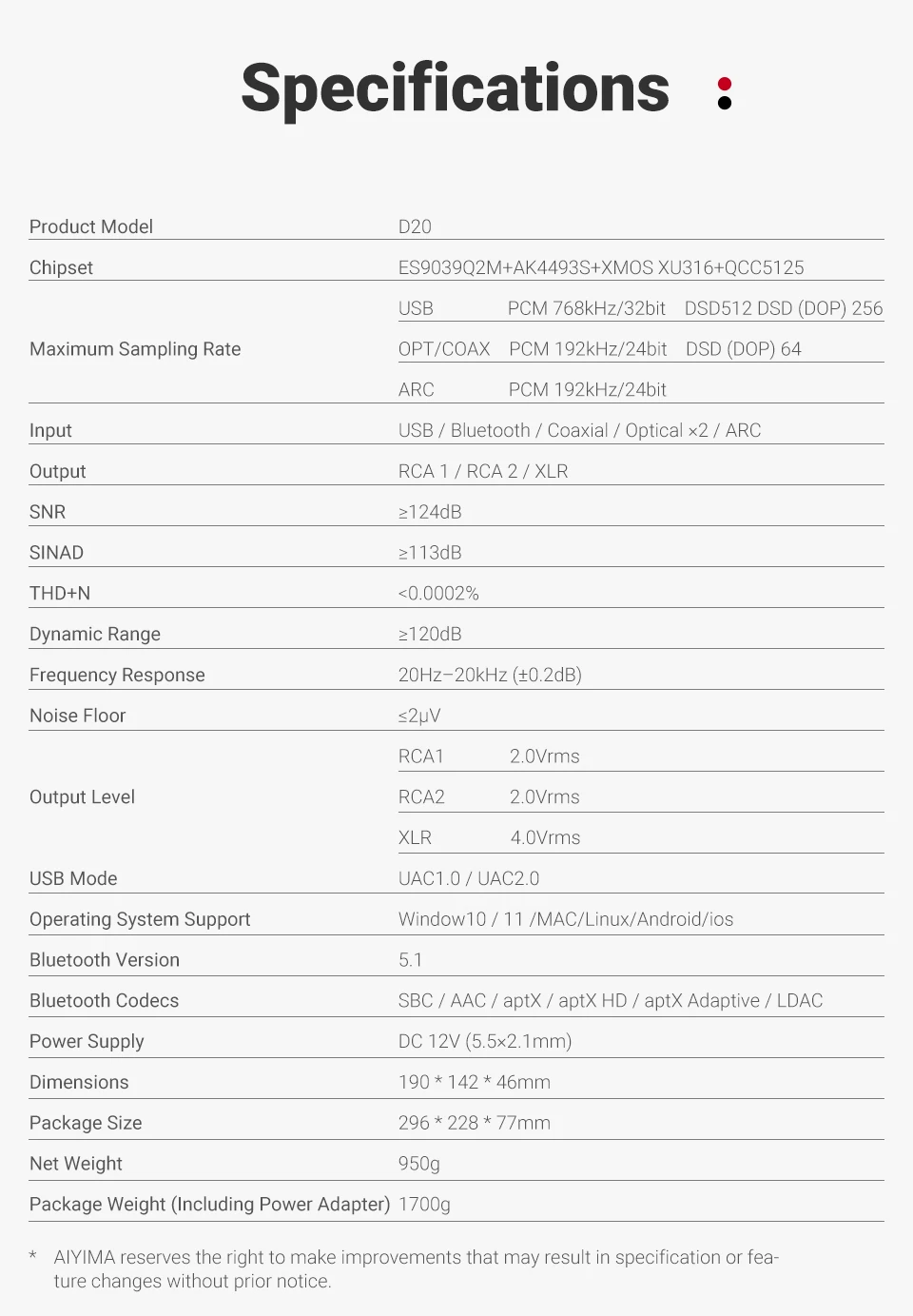
Product Model: D20
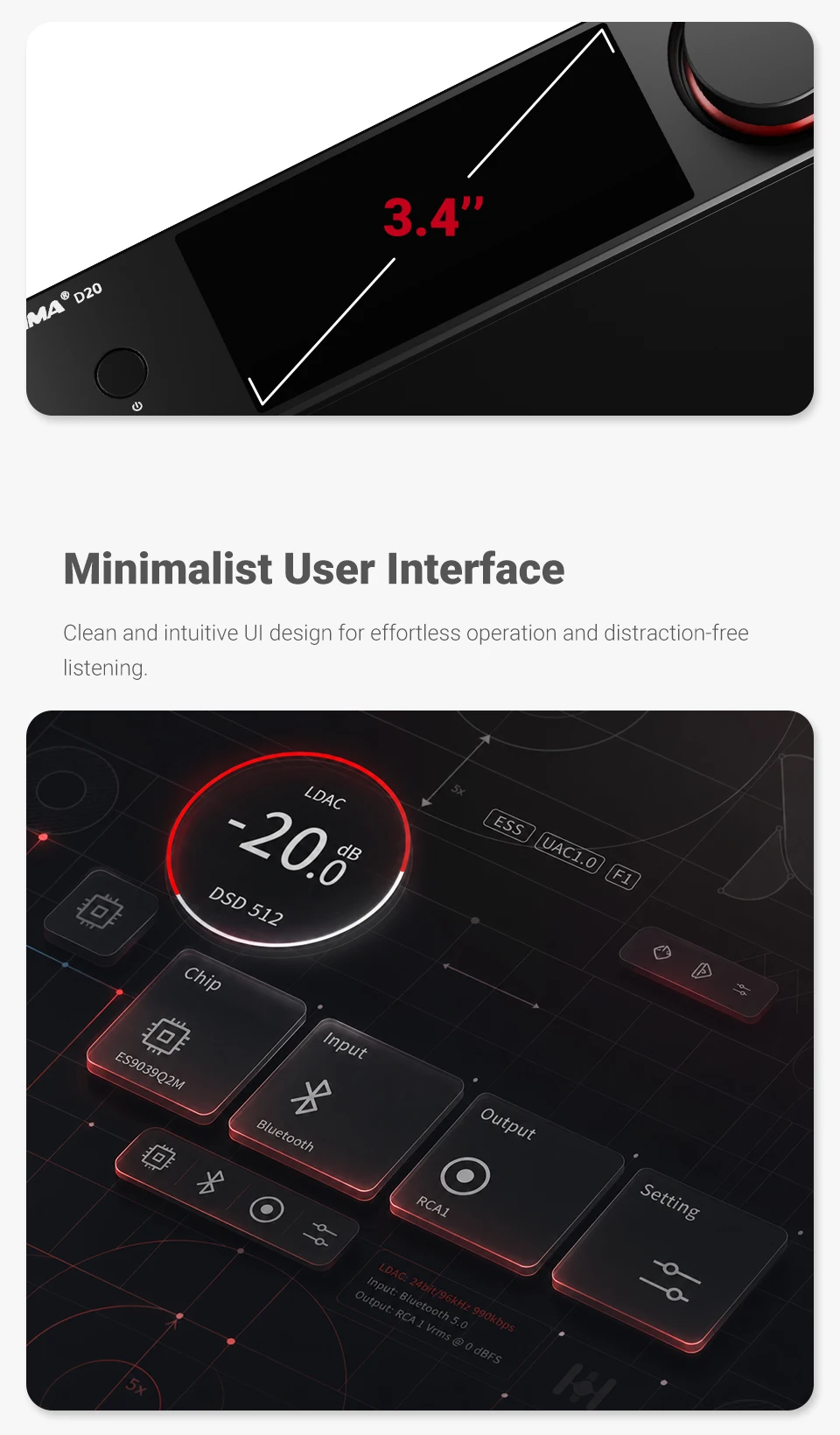
Chipset: ES9039Q2M + AK4493S + XMOS XU316 + QCC5125
Maximum Sampling Rate:
USB: PCM 768kHz/32bit DSD512 DSD (DOP) 256
OPT/COAX: PCM 192kHz/24bit DSD (DOP) 64
ARC: PCM 192kHz/24bit
Inputs: USB, Bluetooth, Coaxial, Optical ×2, ARC
Outputs: RCA1, RCA2, XLR
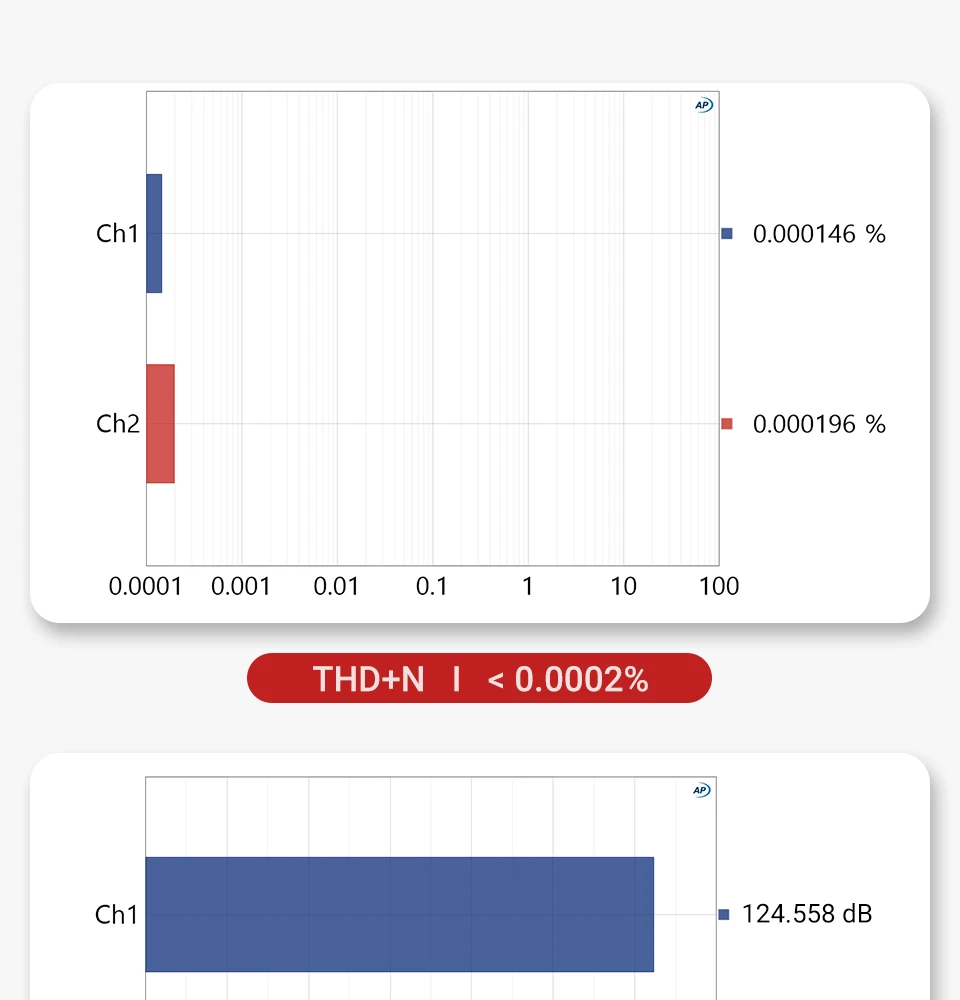
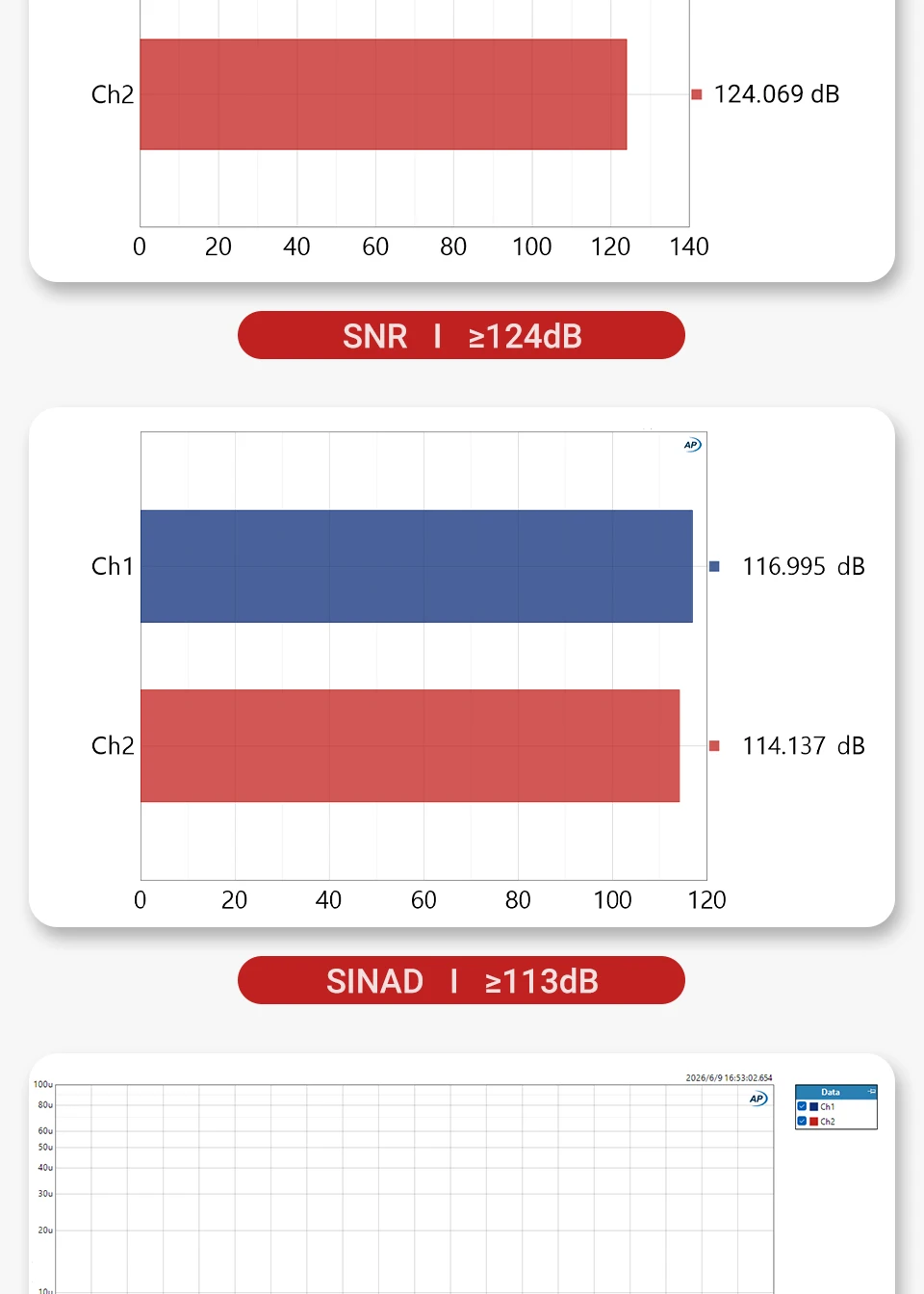
Signal-to-Noise Ratio (SNR): ≥124dB
SINAD: ≥113dB
Total Harmonic Distortion + Noise (THD+N): <0.0002%
Dynamic Range: ≥120dB
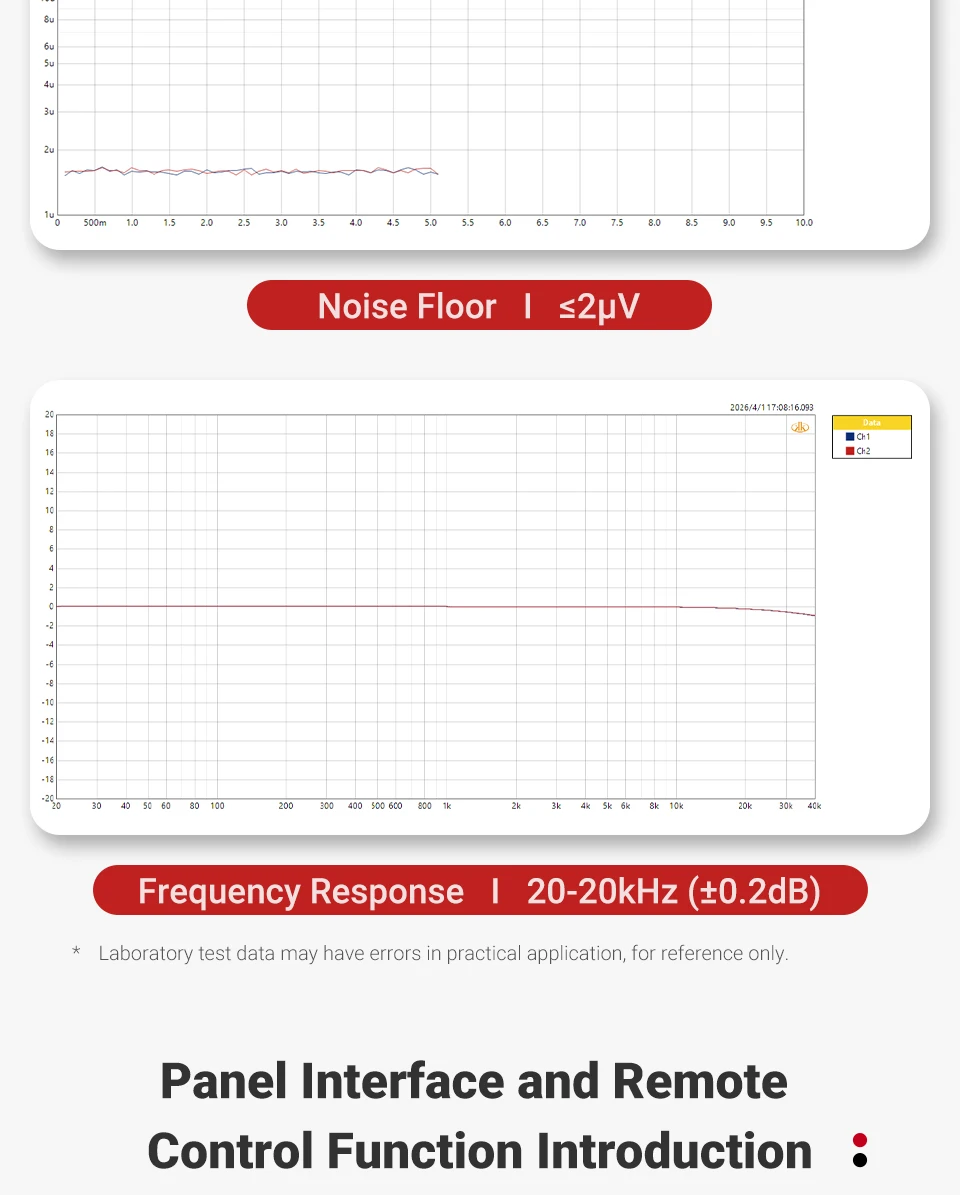
Frequency Response: 20-20kHz (±0.2dB)
Noise Floor: ≤2μV
Maximum Output Level: RCA1: 2.0Vrms
RCA2: 2.0Vrms
XLR: 4.0Vrms
USB Mode: 1.0/2.0
Supported Operating Systems: Windows 10 / 11 / Mac / Linux / Android / iOS
Bluetooth Version: 5.1
Bluetooth Audio Codecs: SBC / AAC / aptX / aptX HD / aptX Adaptive / LDAC
Operating Voltage: DC 12V (5.5×2.1mm)
Product Dimensions: 190*142*46mm
Package Dimensions: 296*228*77mm
Net Weight: 950g
Gross Weight (with packaging): 1330g
*AIYIMA reserves the right to make improvements that may result in specification or feature changes without prior notice.
Package Include:
AIYIMA D20 x1
12V Trigger Cable ×1
USB-A/C to USB-C Cable ×1
Optical Cable ×1
Remote Control ×1
User Manual ×1
Power Adapter ×1
Notes
* ARC requires TV support and PCM output setting. Due to protocol differences among TV brands, minor compatibility issues may occur with certain models.In ARC mode, TV volume control is unavailable. Please adjust the volume using the D20 knob or its remote.
FAQ – Knob Operation Guide
Q: Why doesn't a short press power off the D20?
A: On the home screen, a short press returns to the Home Page by design.
Q: How do I power off the D20?
A: Press and hold the volume knob for more than 2 seconds.
Q: What does a short press do in the Settings menu?
A: It acts as Confirm/Select.
Q: How do I go back to the previous menu?
A: Double-click the volume knob.
Q: Why does the D20 mute when adjusting volume?A: A quick press during adjustment may trigger the Mute/Unmute function.Q: How should I adjust the volume correctly?A: Rotate the knob smoothly and avoid pressing it while turning.Q: Does the D20 protect against sudden loud volume?A: Yes. Built-in volume memory and startup protection help prevent volume spikes.Q: Does double-click have other functions?A: On the home screen, double-click toggles Mute/Unmute. In menus, double-click returns to the previous page.Q: Why can't my phone find the D20 via Bluetooth?A: Make sure the D20 input source is switched to BT (Bluetooth) mode.Q: How do I clear Bluetooth pairing records?A: In BT mode, press and hold the Back button on the remote for 2 seconds.Q: Which UAC mode should I use when connecting a PS5 or Nintendo Switch?A: Always select UAC 1.0 mode. PS5 and Nintendo Switch do not support standard UAC 2.0 high-speed USB audio drivers. Using UAC 2.0 may result in no sound or severe audio distortion.Q: Why does the USB driver installation fail on Windows?A: Windows security software or outdated system certificates may block the driver installation.Q: How can I resolve driver installation being blocked?A: Temporarily disable antivirus software, then run the driver installer as Administrator.Q: Why is the device not recognized after a Windows update?A: System updates may affect USB audio drivers. Unplug the USB cable, reinstall the driver, and reconnect the device.Q: What should I do if the USB connection is not detected?A: Try a rear-panel USB 3.0/3.1 port and use a high-quality USB data cable.Q: Why is the maximum sample rate in Windows limited to 24Bit/192kHz?A: Windows shared audio mode limits the selectable sample rate. This is a normal system restriction.Q: How can I achieve PCM 768kHz and Native DSD512 playback?A: Use professional audio players such as Foobar2000 or Audirvana with the official ASIO driver and Native DSD support.Q: Why do I hear loud white noise when playing DSD files?A: Ensure DSD is transmitted in DoP/Native DSD mode and keep both system and player volume at 100%.Q: Why does DSD playback sound about 3dB lower than PCM?A: This is normal and follows the SACD/DSD recording standard to prevent digital clipping.Q: Why doesn't my phone or tablet output audio through the D20 via OTG?A: Make sure OTG is enabled in your device settings before connecting the D20.Q: What audio output format should I select on my TV?A: Set the TV's digital audio output to PCM Stereo for proper decoding.Q: Why should I turn off the power amplifier before powering off the D20?A: This helps prevent power-off transients from being amplified and protects your speakers.Q: How should I adjust volume when switching from RCA to XLR?A: XLR output is 4Vrms, while RCA is 2Vrms. Reduce the volume before switching to XLR.Q: Why does the VU meter remain active at low volume levels?A: The D20 uses an adaptive display algorithm to maintain smooth and responsive VU meter movement.Q: Do I need to restart the device when switching between ES9039Q2M and AK4493SEQ?A: No. The D20 supports real-time DAC switching without restarting or powering off.Q: What is BYPASS mode?A: BYPASS mode bypasses the preamp and volume control stages, sending the DAC signal directly to the power amplifier. Volume control must then be adjusted on the amplifier.