SPECIFICATIONS
Active Area: 293.8 x 165.2mm
Battery Included: no
Brand Name: HUION
Brightness: 200nit (Typ.)
Certification: CE,KC,weee
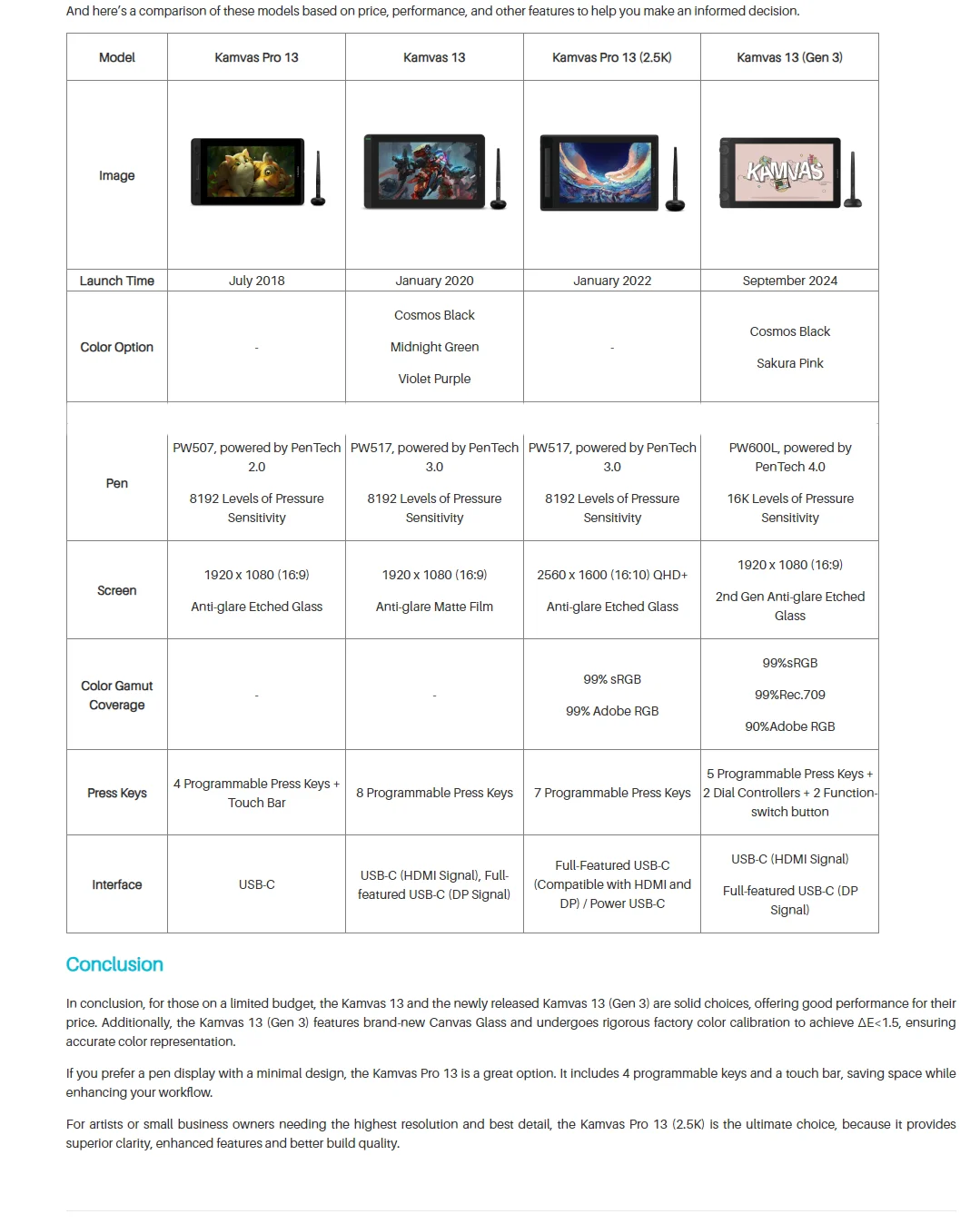
Color Gamut Coverage: 99%sRGB / 99%Rec.709 / 90%Adobe RGB
Color Gamut Volume: 120% sRGB
Contrast Ratio: 1000:1
Digital Pen: PW600L
Dimension: 361.21 x 202.77 x 11.7mm
Display Color: 16.7M (8bit)
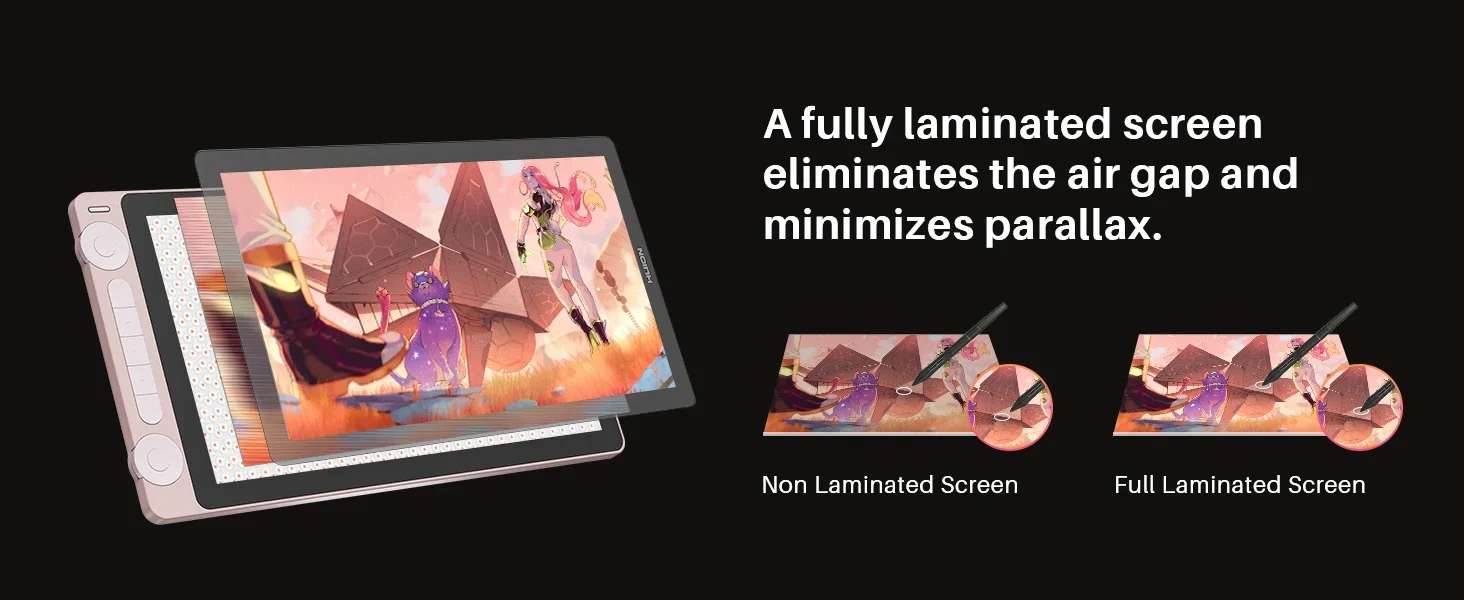
Full Lamination: Yes
HUION Model: Kamvas 13 (Gen 3)
High-concerned chemical: none
Interface Type: USB
LCD Type: IPS 60Hz
OS Support: Windows 10 or later, macOS 10.12 or later, Android 6.0 or later, Linux(Ubuntu 20.04 LTS)
Origin: Mainland China
Output Voltage: 5V 2A
PPI (Pixels Per Inch): 166PPI
Package: Yes
Pen Technology: PenTech 4.0
Power Consumption: 7W or below
Press Keys: 5 Programmable Press Keys, 2 Dial Controllers, 2 Function-switch button
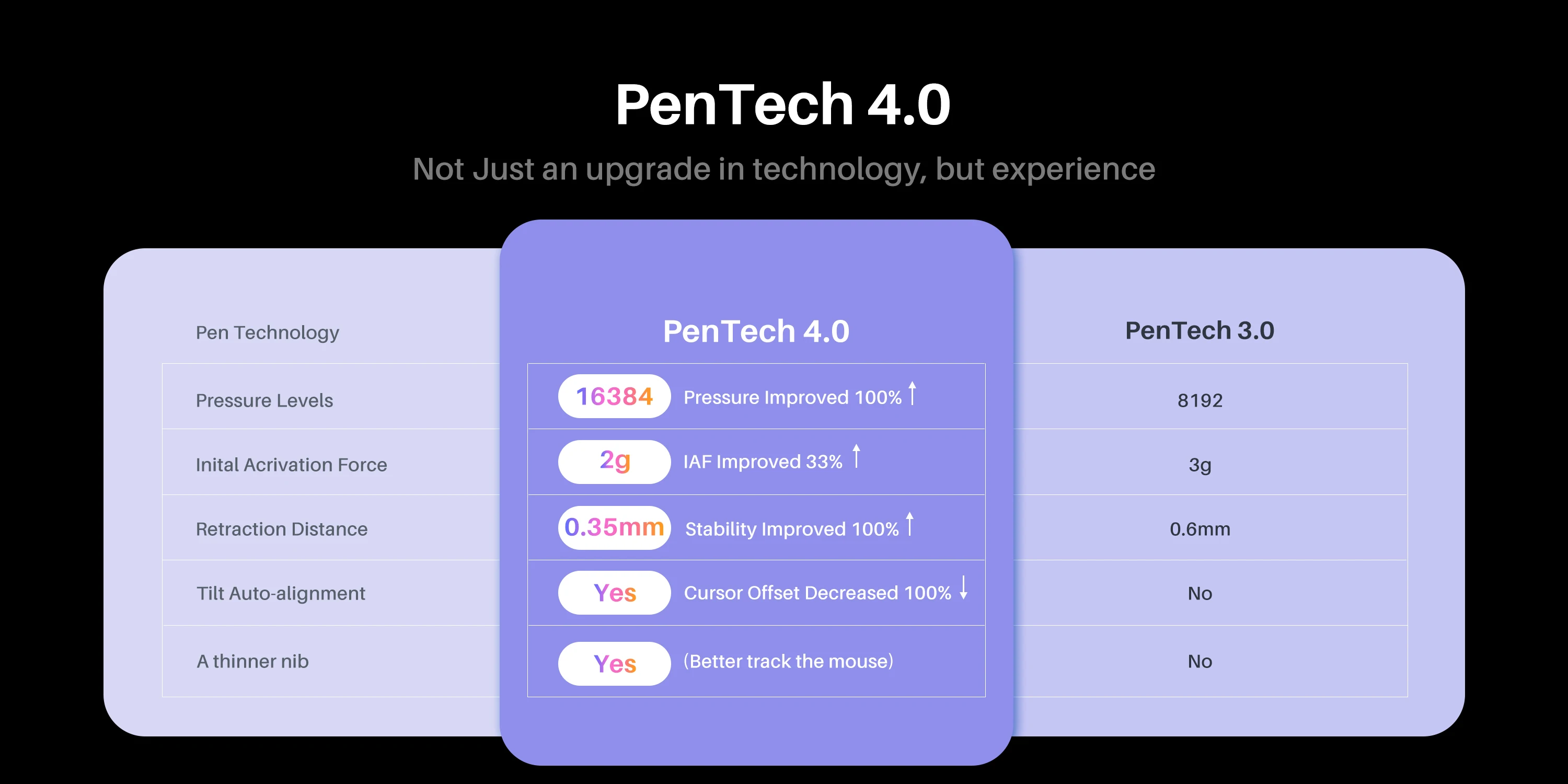
Pressure Levels: 16384,16384 Levels
Remind: It can not work alone, you need to connect to a laptop/PC/Android device.
Resolution Ratio: 5080lpi
Response Time: 25ms (Typ.)
Screen Resolution: 1920x1080
Screen Size(diagonal): 13.3"
Type: Pen Tablet Monitor,U1200
Video Interface: USB-C (HDMI Signal), Full-featured USB-C (DP Signal)
Why you choose the Kamvas 13 Gen 3:
Enhanced color accuracy, upgraded pen tech, and better connectivity. Ideal for beginner artists looking for quality and affordability.
13.3 Inch FHD Screen, Light and thiner; 16K Levels pen pressure, Pen Tech 4.0. 99%sRGB / 99%Rec.709 / 90%Adobe RGB Color Gamut Coverage. Sakura Pink and Cosmo Black for choice.
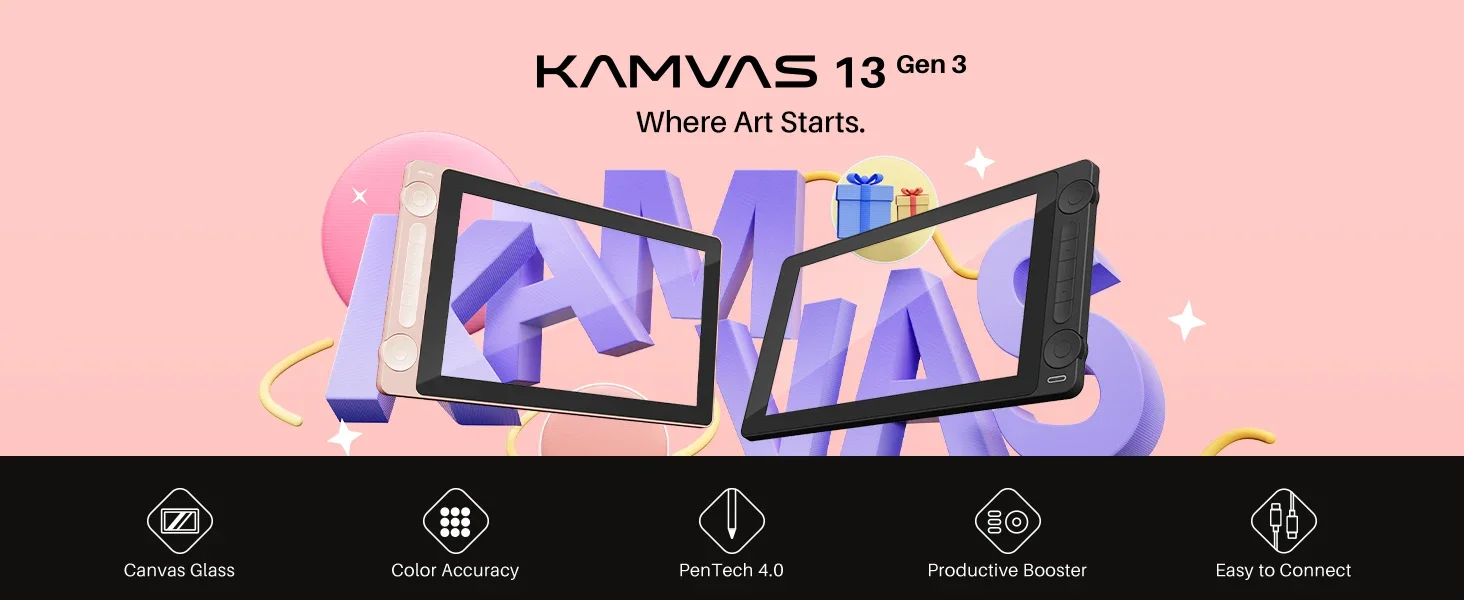

Kamvas 13 (Gen 3) builds upon the success of the highly popular Kamvas 13 by enhancing screen color accuracy, upgrading pen technology, and improving connection stability. With its comprehensive features and continued affordability, Kamvas 13 (Gen 3) is a first choice for beginner artists seeking a high-quality drawing tablet.
Easy to Carry, Built to Last.
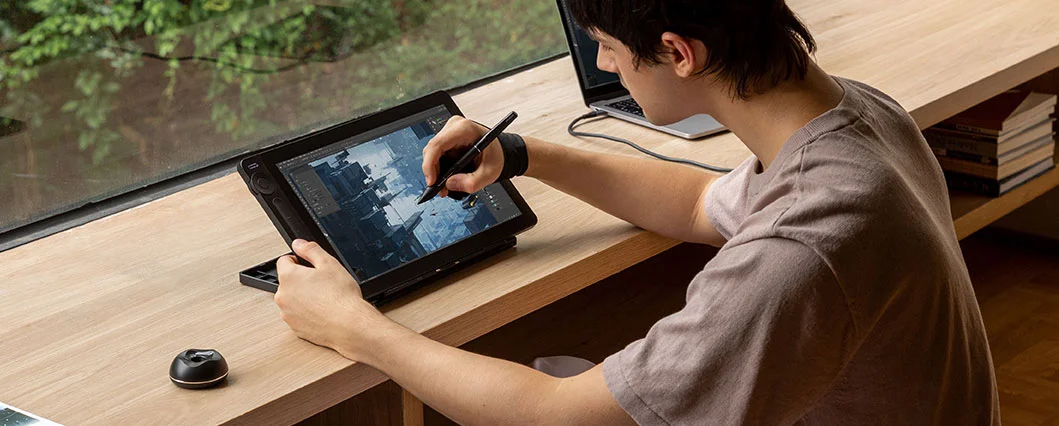
The overall size of Kamvas 13 (Gen 3) has been reduced by 8% compared to its predecessor, and its weight has decreased to 890g, making it easy to carry in your bag. The durable back cover offers superior protection, so you can take it wherever you go.

The First Step in Drawing, The Beautiful Color.
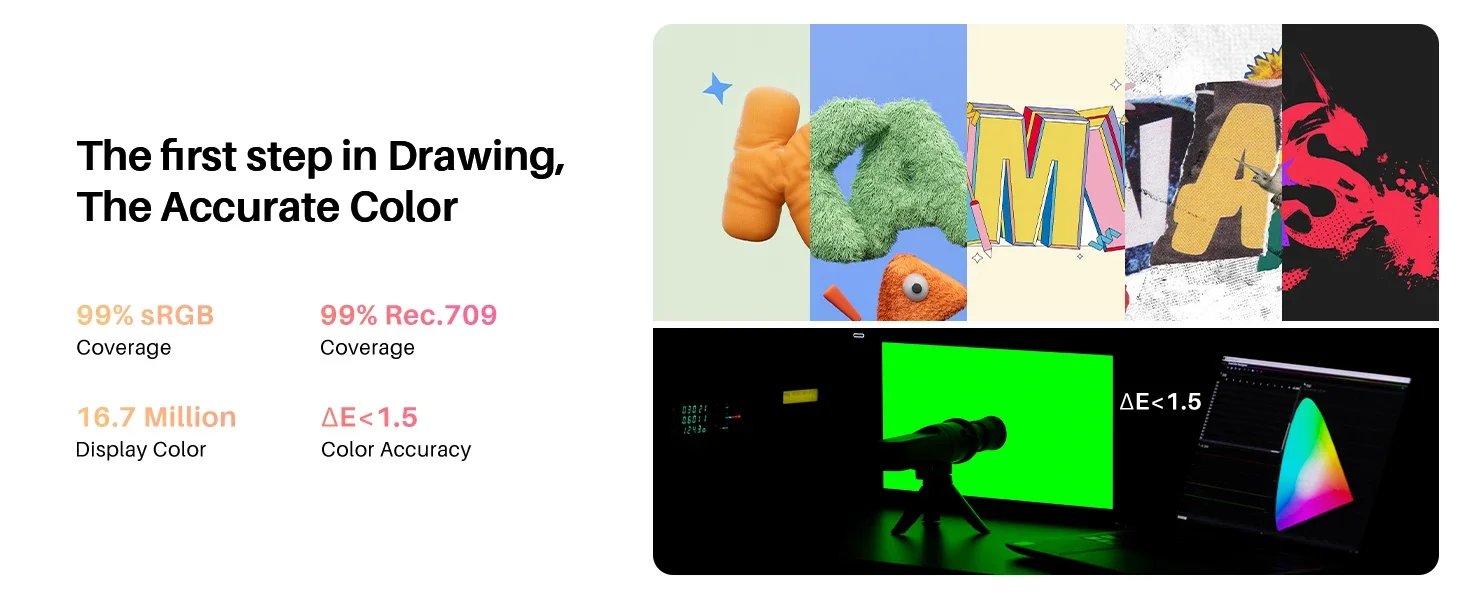
Kamvas 13 (Gen 3) boasts a high-quality screen that covers 99% of the sRGB and Rec.709 color gamuts, as well as 90% of the Adobe RGB color gamut. The accurate color ensures that the colors displayed on the screen closely match your original illustrations, comics, animations, and other artworks.
Ensuring Accurate Color Display.
Each Kamvas 13 (Gen 3) undergoes rigorous factory color calibration to achieve ΔE<1.5, ensuring accurate color representation. It also includes a factory calibration report, so you can use the correct colors to enhance your artistic expression.
All-New Canvas Glass
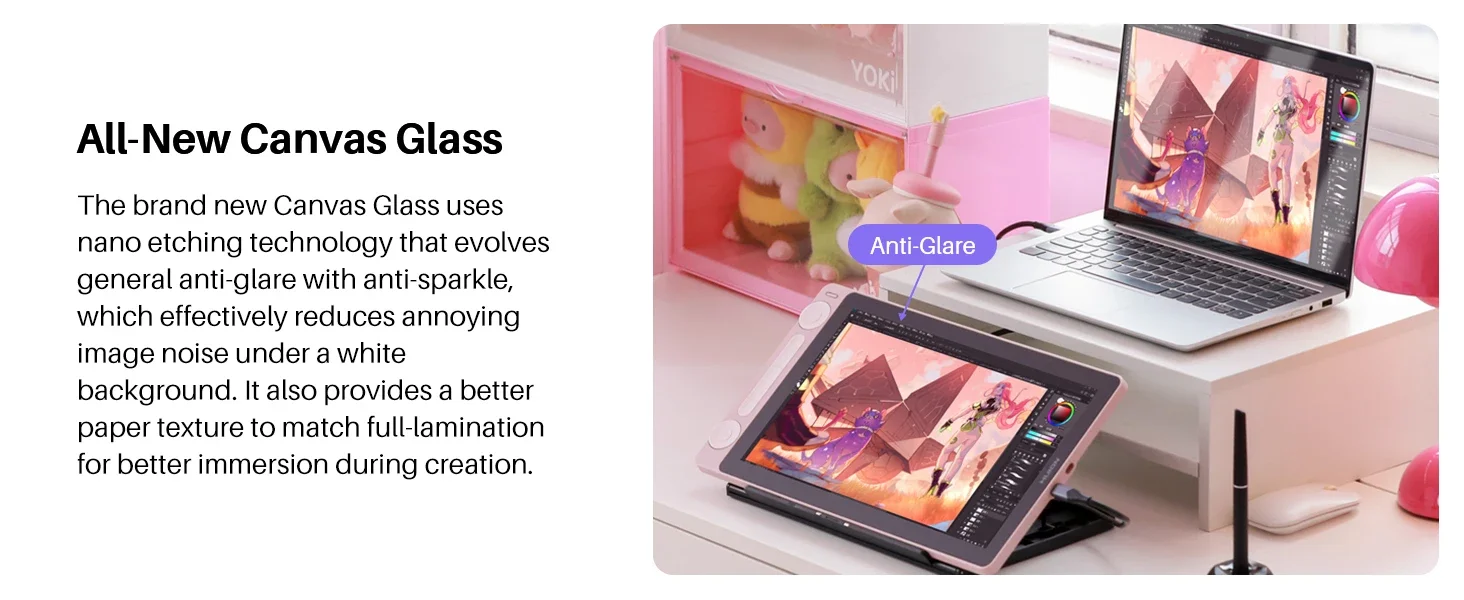
The surface material of Kamvas 13 (Gen 3) has been upgraded to Huion's latest anti-glare Canvas Glass, providing improved durability compared to the anti-glare film of Kamvas 13. The brand new Canvas Glass uses nano etching technology that evolves general anti-glare with anti-sparkle, which effectively reduces annoying image noise under a white background. It also provides a better paper texture to match full lamination for better immersion during creation.

Digital Pen PW600L, As a Real Pen.
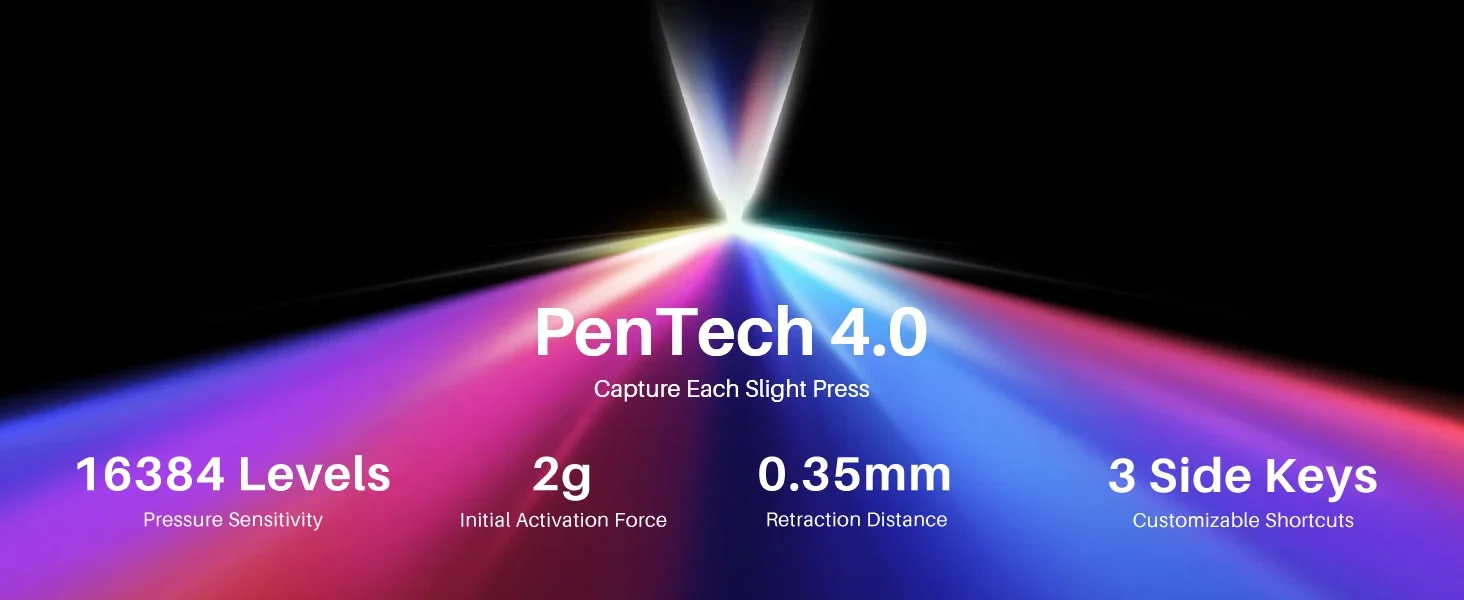
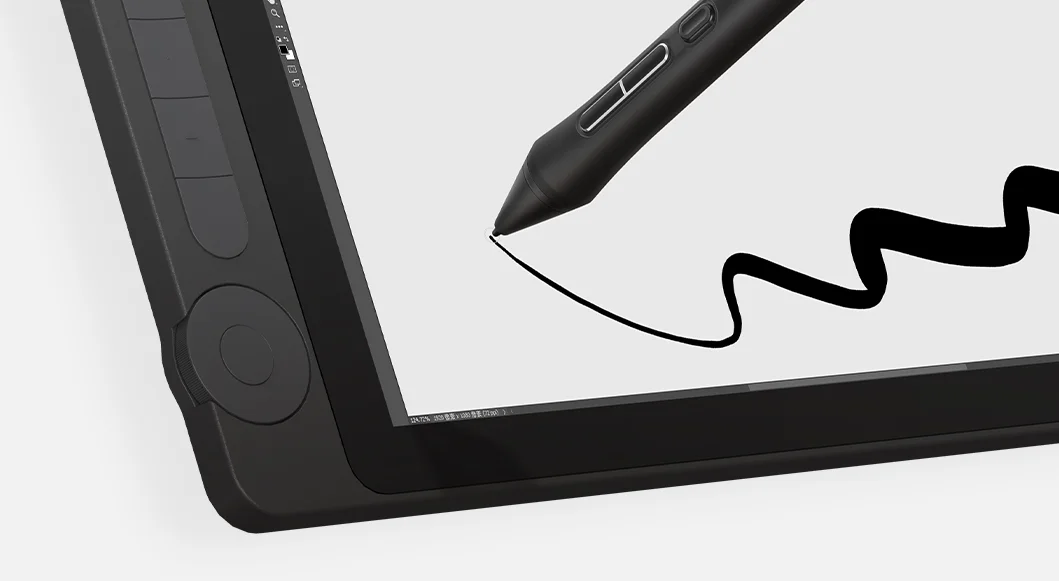
Kamvas 13 (Gen 3) features Huion's latest PenTech 4.0 technology. The PW600L pen is equipped with the HV200 chip, significantly enhancing pen pressure sensitivity and cursor tracking. With three side buttons and a dust-proof grip, it not only provides a real pen-like experience but also boosts efficiency.
PenTech 4.0, Capture Each Slight Press.
PenTech 4.0 features a 2g initial activation force that accurately captures even gentle strokes. The finely tuned pressure curve perfectly shows 16K pressure sensitivity from light to bold. Also, a thinner nib and tilt auto-alignment can help you better track the mouse and reduce parallax!

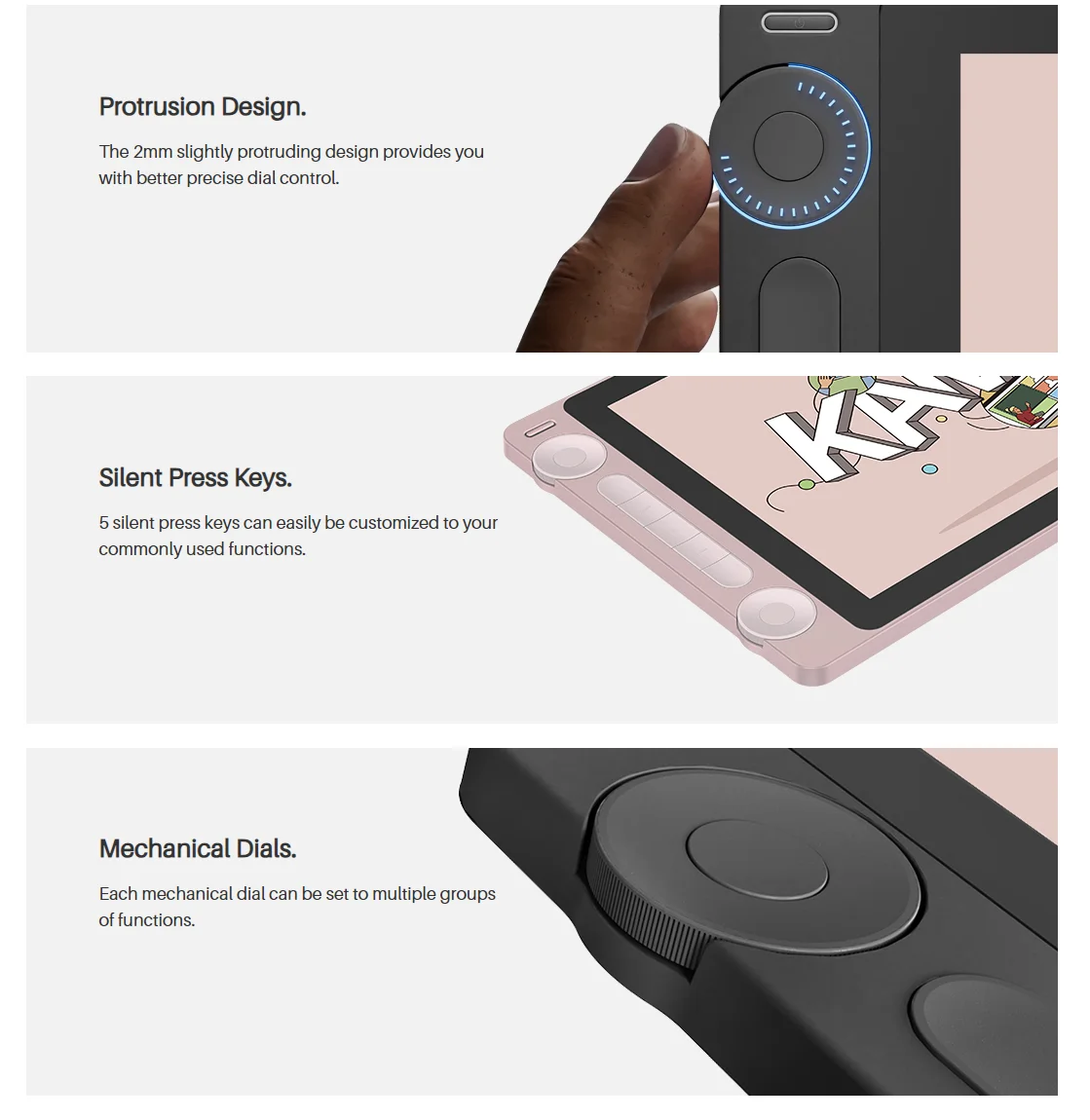
Dual Dials,Double Your Productivity.
Kamvas 13 (Gen 3) is equipped with 2 dial controllers and 5 silent press keys, allowing you to precisely adjust canvas, brushes, sliders, flow, opacity, frames, parameter sliders, and more.
Protrusion Design.The 2mm slightly protruding design provides you with better precise dial control.
Silent Press Keys. 5 silent press keys can easily be customized to your commonly used functions.
Mechanical Dials. Each mechanical dial can be set to multiple groups of functions.
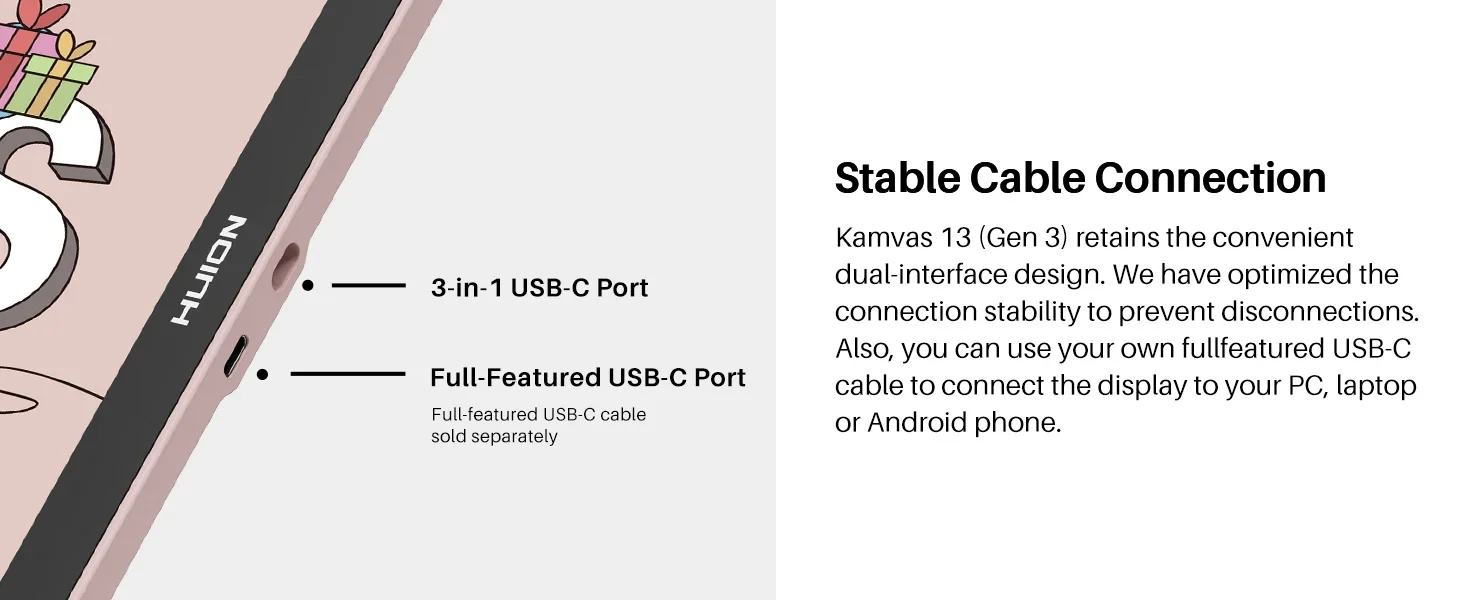
Stable Cable Connection.
Kamvas 13 (Gen 3) retains the convenient dual-interface design. We have optimized the connection stability to prevent disconnections. Also, you can use your own full-featured USB-C to USB-C cable to connect the display to your PC, laptop, or Android phone.
*The full-featured USB-C to USB-C cable requires additional purchase.
*If you want to use your own full-featured USB-C cable, please ensure it supports USB 3.1 Gen1, DP 1.2, and above standards.
Good for Lefties, too.
Kamvas 13 (Gen 3) features a symmetrical design, catering to the needs of both left-handed and right-handed artists. To accommodate your preference, you can conveniently rotate the working area in the driver software.
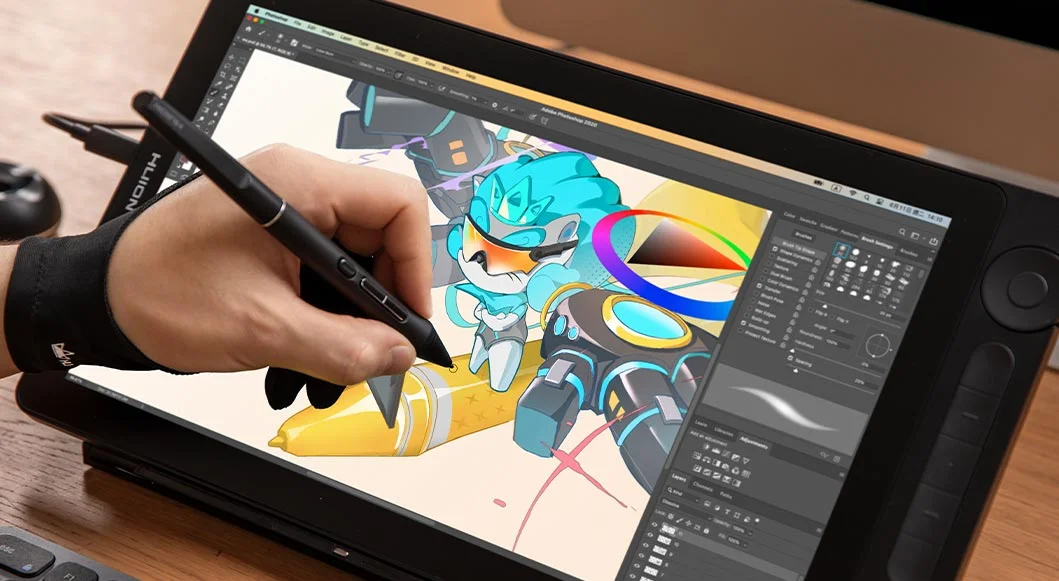
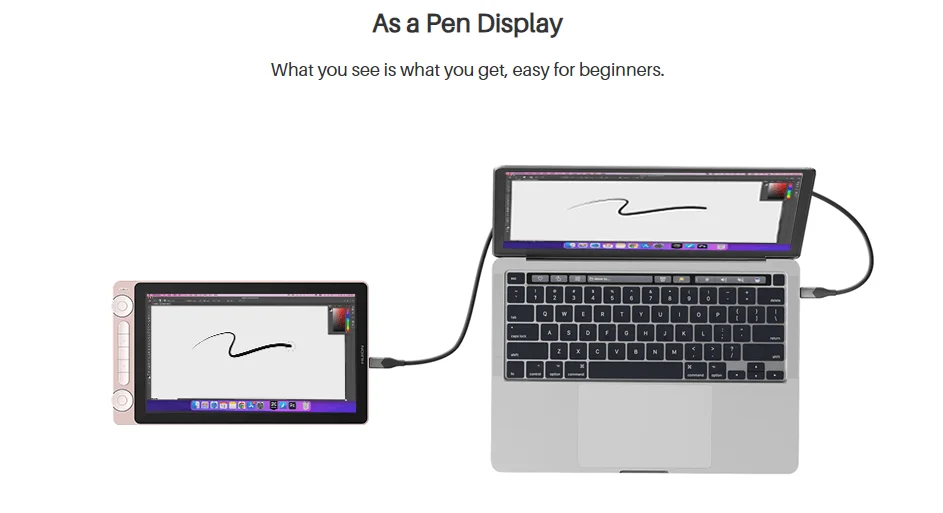
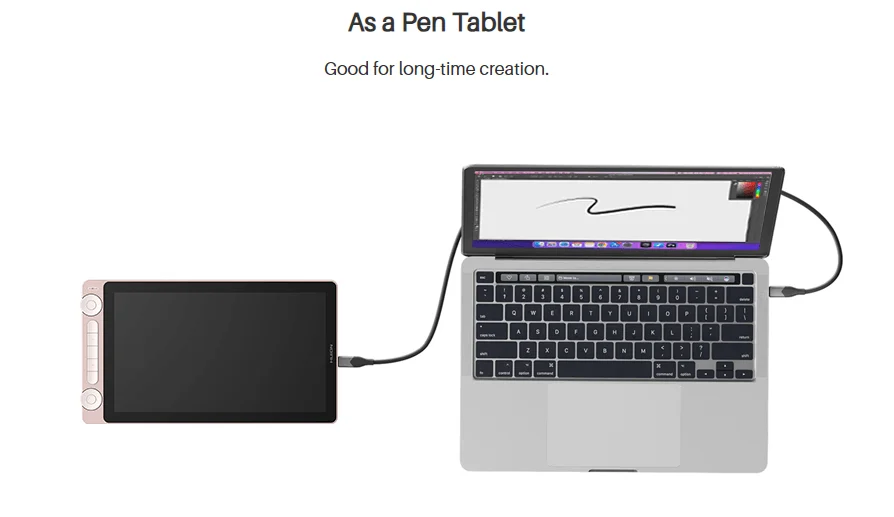
Be A Pen Display, As A Pen Tablet.
If you'd like to use the pen tablet mode, please refer to this link.
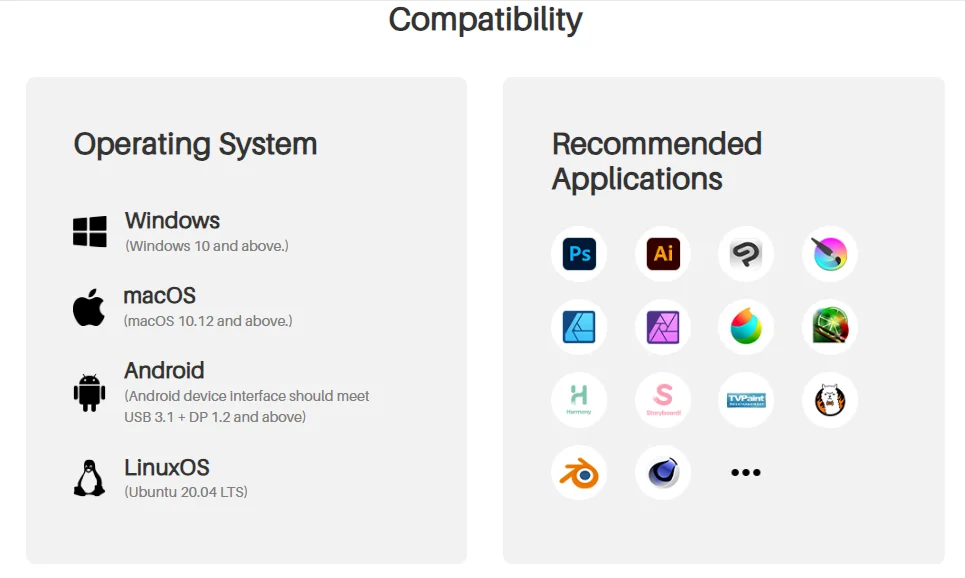
Operating System Compatiblity:
Windows 10 and above; macOS 10.12 and above; Android device which interface should meet USB 3.1 + DP 1.2 and above; LinuxOS Ubuntu 20.04 LTS.
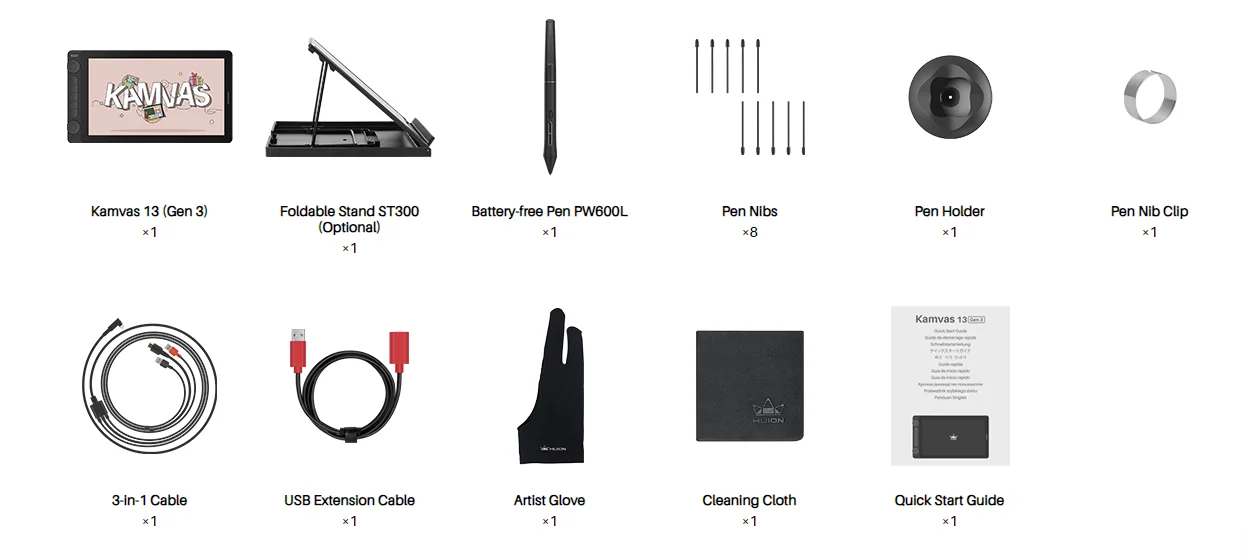
Package lists: Kamvas 13(Gen3), adjustable stand(optional), pen PW600L, 8 pen nibs, pen holder, pen nib clip, 3in1 cable, USB extension cable, artist glove, cleaning cloth, quick start guide. (DO NOT CONTAIN THE FULL FEATURED TYPE-C CABLE.)
FAQs
How do I connect the Huion Kamvas 13(Gen 3) to my computer?
Two USB-C Ports Facilitate Connections
The Huion Kamvas 13(Gen 3) is equipped with two USB-C ports that can connect according to your needs.
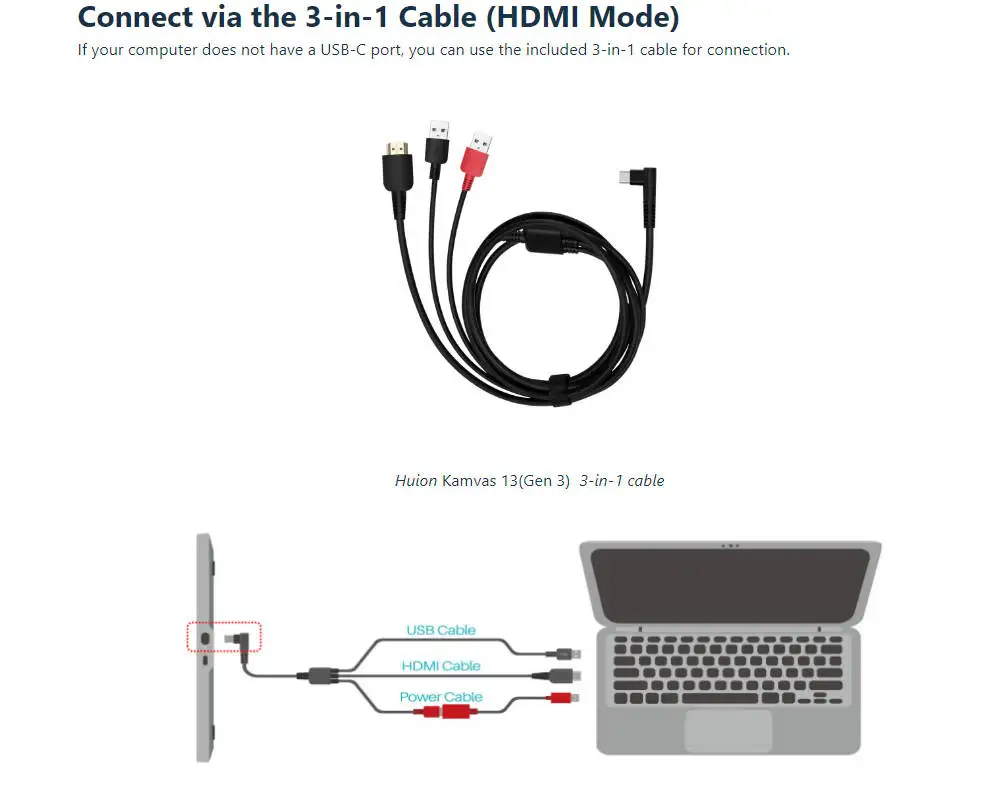
3-in-1 USB-C Port (HDMI Signal): Connect your pen display to the computer and power supply via a 3-in-1 cable.
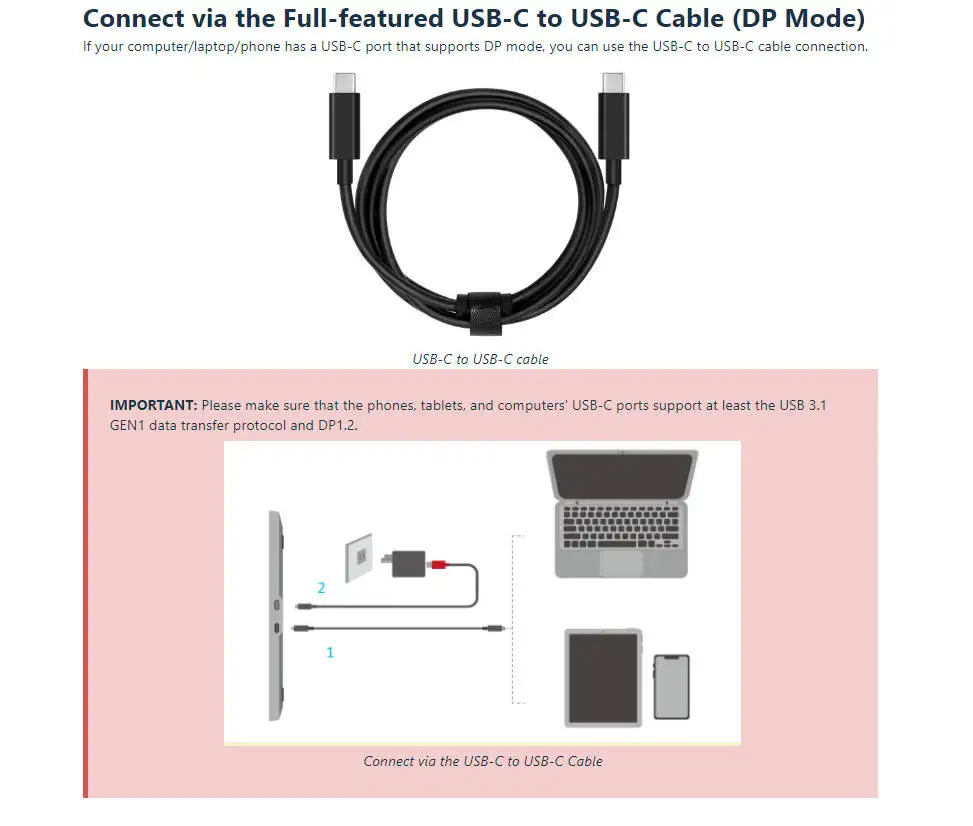
Full-featured USB-C Port (DP Signal): Connect your pen display to a computer or Android phone via a full-featured USB-C to USB-C cable, and a 3-in-1 cable for extra power supply.
Please make sure you plug cables into their respective ports, otherwise, the device may fail to operate.
Connect via the 3-in-1 Cable (HDMI Mode)
If your computer does not have a USB-C port, you can use the included 3-in-1 cable for connection.
Connection Steps:
1.Insert the USB-C male plug of the 3-in-1 cable to the USB-C port on the device ①
2.Then connect the HDMI and the black USB-A cables to the PC respectively
3.Finally, connect the USB charger cable to the power adaptor and then switch on the power.
Note: Generally, the device can be powered on when the black USB-A cable is connected to your computer. A flashing screen of the device may indicate a low battery, in which case you are suggested to connect the red-colored USB-A cable to another USB interface on your computer or the power adaptor.
The power adaptor is not included in the package. The power adaptor of your mobile phone is also compatible.
If you have a dedicated graphics card on your computer, please make sure to plug the HDMI end of the 3-in-1 cable to the HDMI port on the dedicated graphics card, instead of that one on the PC's motherboard.
Connect via the Full-featured USB-C to USB-C Cable (DP Mode)
The Huion Kamvas 13(Gen 3) can be connected to an Android phone or tablet via a full-featured USB-C to USB-C cable. (Note: A power cable is also needed for power supply).
To display in full screen, you need to turn on Huawei phones' Desktop Mode and Samsung phones' Dex Mode. Moreover, mainstream drawing apps such as Sketchbook, IbisPaint, MediBang, etc. are supported.
If your computer/laptop/phone has a USB-C port that supports DP mode, you can use the USB-C to USB-C cable connection.
IMPORTANT: Please make sure that the phones, tablets, and computers' USB-C ports support at least the USB 3.1 GEN1 data transfer protocol and DP1.2.
Connection Steps:
1.Connect the full-featured USB-C to USB-C cable to the pen display's port ① and the computer or Android device.
2.Then, connect the power cable to the other port on the pen display ② and the power adapter for the power supply.
Please make sure the USB-C port of your phones, tablets, and computers at least supports USB3.1 GEN1 data transfer protocol and DP1.2.
USB-C to USB-C cable is not included in the package and requires extra cost. Please purchase the cable through official channels as it is customized and cables from unknown sources may not be usable with the device.
What is Huion PenTech 4.0 Technology?